TPM for me sometimes work and sometimes does not in Win11 Pro 25H2.
It is driving me crazy. I have configured Secure Boot without problems (Confirm-SecureBootUEFI==True), but my FW Desktop machine is having some weird problems. I keep it running for few days normally and after some certain time (sleep?) it gets crazy and can not communicate with TPM anymore.
Get-Tpm returns error 0x80284001 and the only thing that helps is to reboot PC.
My BIOS Version is latest: INSYDE Corp. 03.03, 16.09.2025.
Can somebody tell me where we can contact support, because that TPM related thingy in 2k+ USD computer drives me mad?
Do not you guys have problems with Framework AMD Laptops? Is it only FW Desktop fTPM suffering from longer uptime???
This is really crazy thing for 2k+ PC. I had only 1 Dell AMD laptop in the past (and gazillion of Intels + some MacBooks) and never had any issue with fTPM on Win11 Pro. Why there is a strange problem on FW Desktop and Win11 Pro?
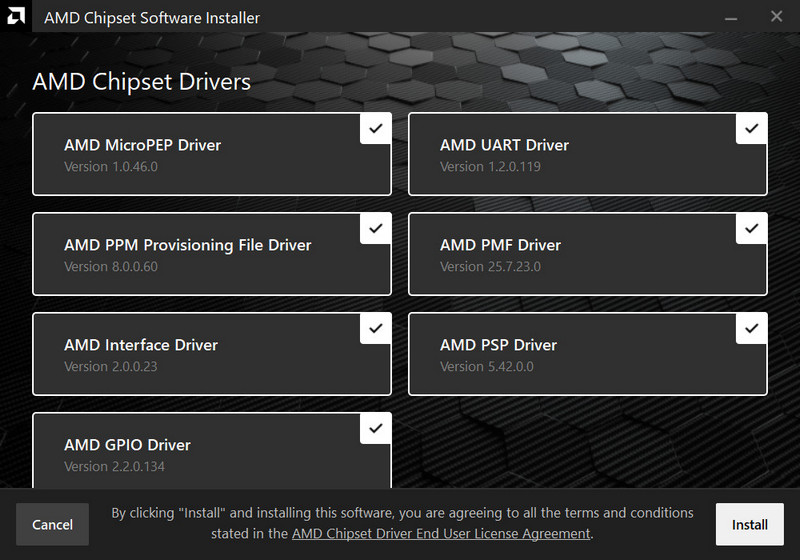
Which version of drivers are you using? There were a few driver versions from AMD where the TPM drivers will crap out on me after the machine wake up from sleep and windows hello wouldn’t allow me to authenticate until I restart. I’m using 25.11.1 currently and haven’t had any issues so far. The only other drivers that worked within issues for me was the one posted on Framework’s website.
There were a few driver versions from AMD where the TPM drivers will crap out on me after the machine wake up from sleep and windows hello wouldn’t allow me to authenticate until I restart.
That is more or less the case. I would not say though it is each “sleep & wake” cycle. Definitely not each one, but I think problem is related to sleeping and maybe improperly resuming AMD PSP 11.0 Device?
What is your PCI vendor string for AMD PSP device?
I’ve seen no issues on my Desktop with TPM under Windows 11 (Build 26200)
Are you using Windows Hello or Windows Hello for Business? Are you using Windows 11 Hybrid Sleep? (did you change your power plans to be non-standard?)
Thanks for detailed info. The only difference I spot is you are not using sleep states and your AMD PI code is newer in Beta BIOS 3.04. I am on official 3.03. Did not try Beta 3.04 yet. Perhaps I need to become guinea pig. That AMD fTPM seems to be component that may bring various issues
My system sleeps after 60min (I don’t see hybrid sleep in my power plan) & I haven’t seen any TPM issues on 3.04, although I didn’t have any issues with 3.03 either.
7.11.19.2346 Chipset is part of the 271125 bundle and because I’m running some drivers that are newer than what’s included, I extracted the release with WinRaR and installed the chipset and audio drivers & audio console: