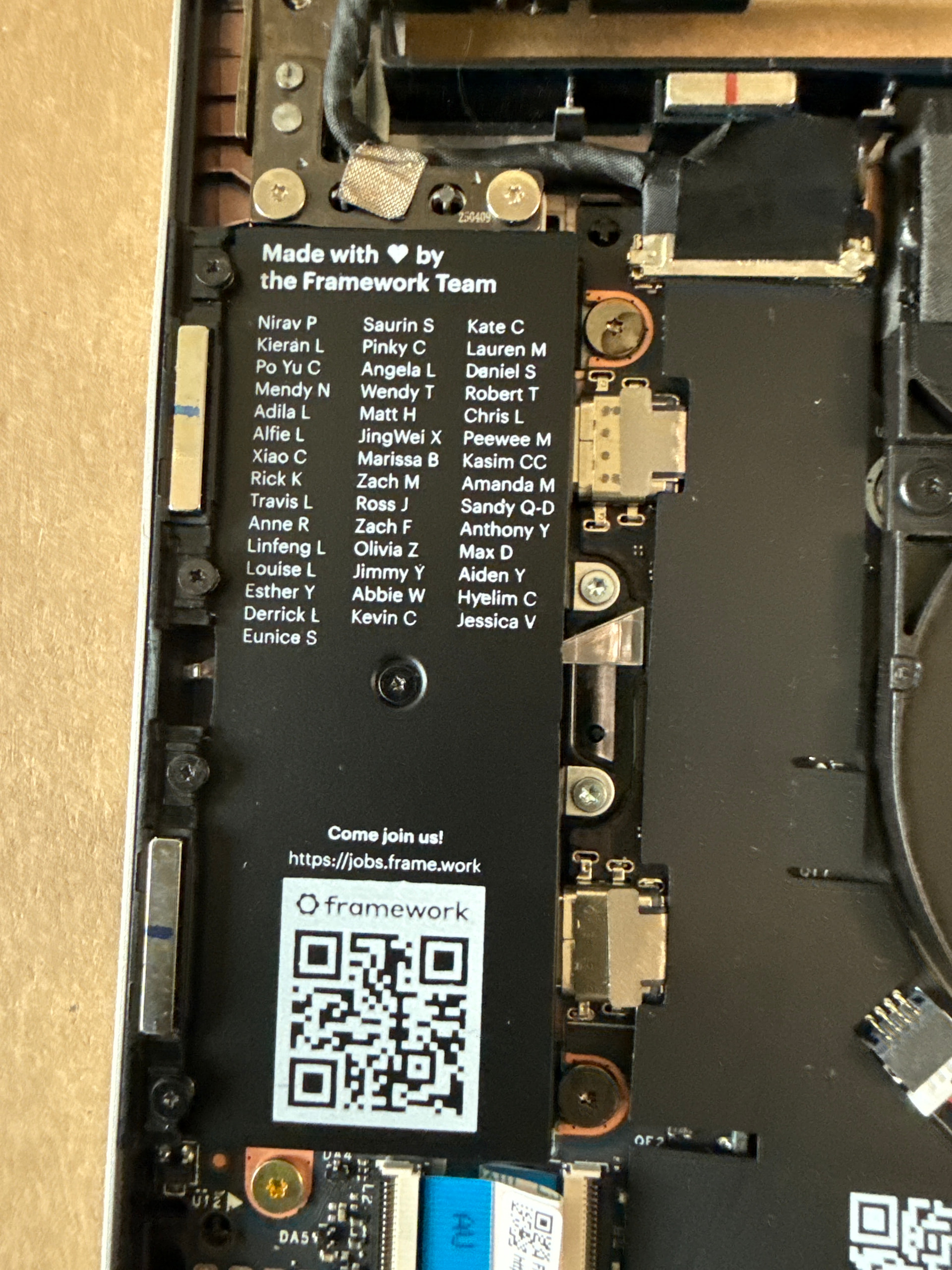
I have the Framework Laptop 13 (AMD Ryzen AI 7 350, 300-series) DIY Edition.
I’m trying to remove the tiny screw that holds the black cover plate (the one with all the names printed on it) so I can access the RAM slot underneath. The Framework screwdriver Torx bit fits all the other screws, but it does NOT fit this tiny one.
It also isn’t a PH000 — that one is too big.
Does anyone know the exact bit size required for that specific screw?
Just for clarity - the mylar shield in your photo is NOT the one covering the RAM. The ones covering the RAM are mostly blank, like in the link @Christian_Deckelmann posted. The cover in the image you posted has nothing underneath it that you will likely need to mess with. ̶I̶f̶ ̶m̶y̶ ̶g̶o̶o̶g̶l̶i̶n̶’̶ ̶i̶s̶ ̶c̶o̶r̶r̶e̶c̶t̶,̶ ̶b̶e̶l̶o̶w̶ ̶t̶h̶a̶t̶ ̶a̶r̶e̶a̶ ̶i̶s̶ ̶a̶ ̶U̶S̶B̶4̶ ̶r̶e̶t̶i̶m̶e̶r̶ ̶&̶ ̶p̶o̶w̶e̶r̶ ̶d̶e̶l̶i̶v̶e̶r̶y̶ ̶c̶i̶r̶c̶u̶i̶t̶r̶y̶/̶s̶h̶i̶e̶l̶d̶i̶n̶g̶.̶ (my googlin’ was NOT correct)
The expansion card slots (which are subtracted from the chassis) are in that space. The mainboard terminates exactly to the right of it. There is no circuitry there.
To OP:
If you are building a Framework Laptop, please follow the guides on their website. They indicate exactly where you need to put each component.
Every screw you will need to remove is either T5 or PH0.
Thanks for the correction! I thought because of the expansion slots the circuitry would be there. Do you happen to know the purpose of the screw? I was thinking grounding based on my erroneous googlin’.