I tried to do that for watching streaming video (I get “unsupported browser” in Linux). The audio lagged horribly. The video seemed like a slide show. I am probably doing something wrong, but I gave up for now.
1 Like
Haha you’re good, I was just trying to make sure we were both on the same page  Tone is hard to convey via text.
1 Like
Don’t feel bad about that, you weren’t “doing something wrong” so much as not having the hardware to give the VM to handle that.
Anything “video” in a VM without gpu acceleration or LOTS of cpu computer to do video acceleration will behave terribly. Turns out cpus aren’t gpus, go figure  And cpus can virtualize fine but for a gpu to virtualize is specifically needs to support SR-IOV (or be an igpu with some other special magic if I recall).
  That’s why I’m so excited about that Intel Arc B50 pro card, it’s the cheapest card… probably ever? that supports SR-IOV.
2 Likes
Linux is really great for maxing GPU accessible memory. I just have the 64 GB version and it is possible with kernel arguments to assign practically all the non-reserved RAM (~61 GB) to GTT. Sure, it does impact performance of the system a bit if your GPU really claims all of that but I am using GPT-OSS-120B occasionally which is doing exactly that and as long as I have no other major tasks (videos etc) Linux is still running just fine.
2 Likes

I think the cooler and fan will clear, but I’m pretty sure the shroud won’t go on
Ok I’m at the stage of where I’m publicly going to start working on my build with the mainboard:
I’m slightly more ahead in the project that I post here. I’ve settled on other hardware for the build. And I have a mock up of the cooling plate, because I can’t just mount a CPU block on the CPU and call it good on this platform.
I’m missing something in reconciling the measurements of the heatsink, fan, and shroud and would appreciate some guidence.
Based on the image below I read that the heatsink alone extends 48.88mm from the top of the mainboard. Is that right?

Based in the image below I read that the heatsink, fan, and shroud extend 83.2mm from the top of the mainboard … is that right?

If I am correct and I deduct the heatsink from the heatsink, fan, and shoud (duct) the combined fan and shoud would be 34.32mm. Again, just checking that I’m on the right path at this point, or have I missed something?
My own measurements of the fan and shroud make their combination 32mm
I haven’t received my mainbaord yet (it’s seems to be on a foodie tour of South East Asia) so I’m wondering if there is something I am missing here?
Thank you
1 Like
What’s 2.32mm between friends. hehe
btw, in regards to overall cavity height required don’t forget the height of the standoffs too.
Will let you know when the mainboard arrives …. waiting 
It’s currently the middle of the night, I’m having trouble sleeping, so I’m on my phone in bed… but…
Post this over in: Motherboard photos and dimensions so we have all the dimensions consolidated in one convenient place.
And tomorrow when I’m up I’ll get the measurement(s) you want for you.
1 Like
My board has arrived.
The Cooj MQ4 does not have the internal space for the mainboard (PCB), heatsink, Noctua NF-A12 x25 fan, and shroud (duct)
The standoffs shipped with the case are too short at 5mm. The bottom of the SSD spreader collides with the internal frame of the case on which the standoffs mount. There is ~5mm between that frame and the frame that holds the magnets which I had, based on a superficial inspection of the pictures, which I thought I might be able to claim. I think some of that space can be gained but not without mods and risks associated with the magnets EM waves playing with the electronics.
So, in addition to the taller standoffs I’ll have to install the fan without the shroud (duct) or opt for a 15mm fan. More to come …
You could just remote the heatspreader and slap a thermal pad on the m.2 so it makes thermal contact with the metal motherboard tray.
Taller standoffs will make the motherboard IO not line up with the rectangle cutout.
I think that’s a good option. The biggest challange is to get the C clip off the retaining screw!
I could also implore you to custom design a case … 
I only need 1mm and I think that’s all I would get anyway as the coutout fits tightly into a frame of the case
I think that’s a good option. The biggest challange is to get the C clip off the retaining screw!
I used the screw from the hinge as my M.2 screw, so you don’t need to get that clip off the other one.
I could also implore you to custom design a case …
I mean, if you don’t need anything fancy, I probably already have the files… but it sounds like you already have a case that works if you just need to get that bottom M.2 cover off.
Historically all of the cases I designed were laser cut acrylic (or wood)… and I don’t have access to a laser cutter regularly since I moved states. But I do have a 3d printer and could easily make something for that… but I personally really don’t like 100% 3d printed cases.
I only need 1mm and I think that’s all I would get anyway as the coutout fits tightly into a frame of the case
That or, you just run without an IO shield
If I was in your situation, I’d order a big squishy thermal pad, I can’t attest to the quality but something like Amazon.com: m.2 Thermal pad Kit,Pcie Thermal pad, M2 2280 NVMe Thermal pad… : Electronics should work since that gets you different thicknesses for you to play around with.
1 Like
My problem has always been having a beer income and champagne tastes I think this case will be OK. Maybe if your wife doesn’t allow the Mantaray to be hung on the wall we can talk again 
I have ordered a 1.5mm, a 1.0mm, and a 0.5mm pad so one of those is bound to be right
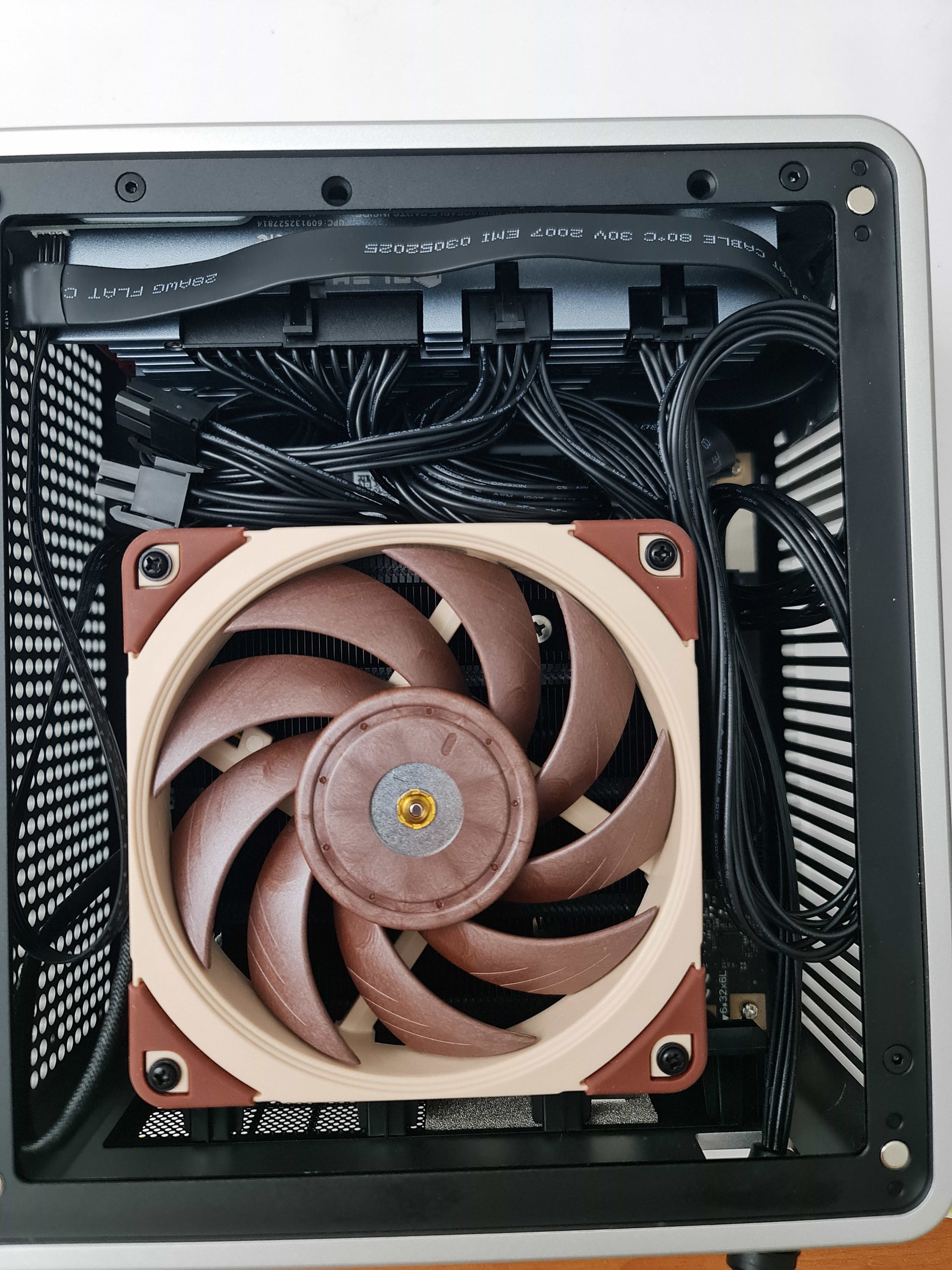
In the meantime, I’ve added two 1.0mm nylon washers to the standoff and that’s cleared everything. The faceplate for the rear IO ports fits, too … but only just
4 Likes
2 Likes
There’s a lot of space underneath, so if I understand correctly, we’ll need a different motherboard bracket, with enough room for the SSD.
Is it possible to cut out part of the bracket to save space?
If you have a picture of this bracket mounted on the motherboard…
you may need custom cable, or at least cut not needed cable/connector?
Before cutting cables I would rather crimp my own from scratch… at least that’s what I did with my cables
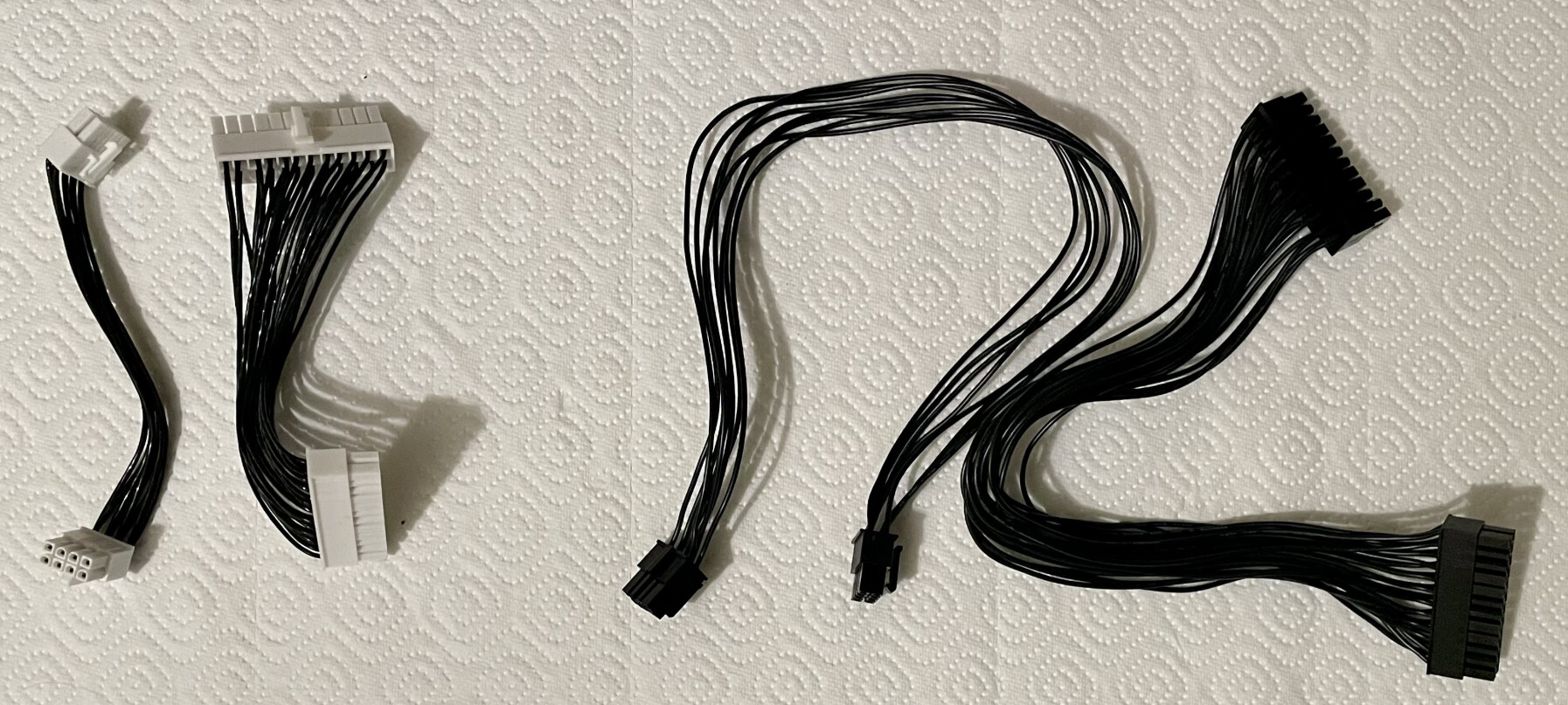
But it is a surprising amount of work and if you go for authentic components it does cost quite a bit. So if you don’t need it for airflow and you don’t see it once assembled anyway. I would just go for the stock cables.
4 Likes