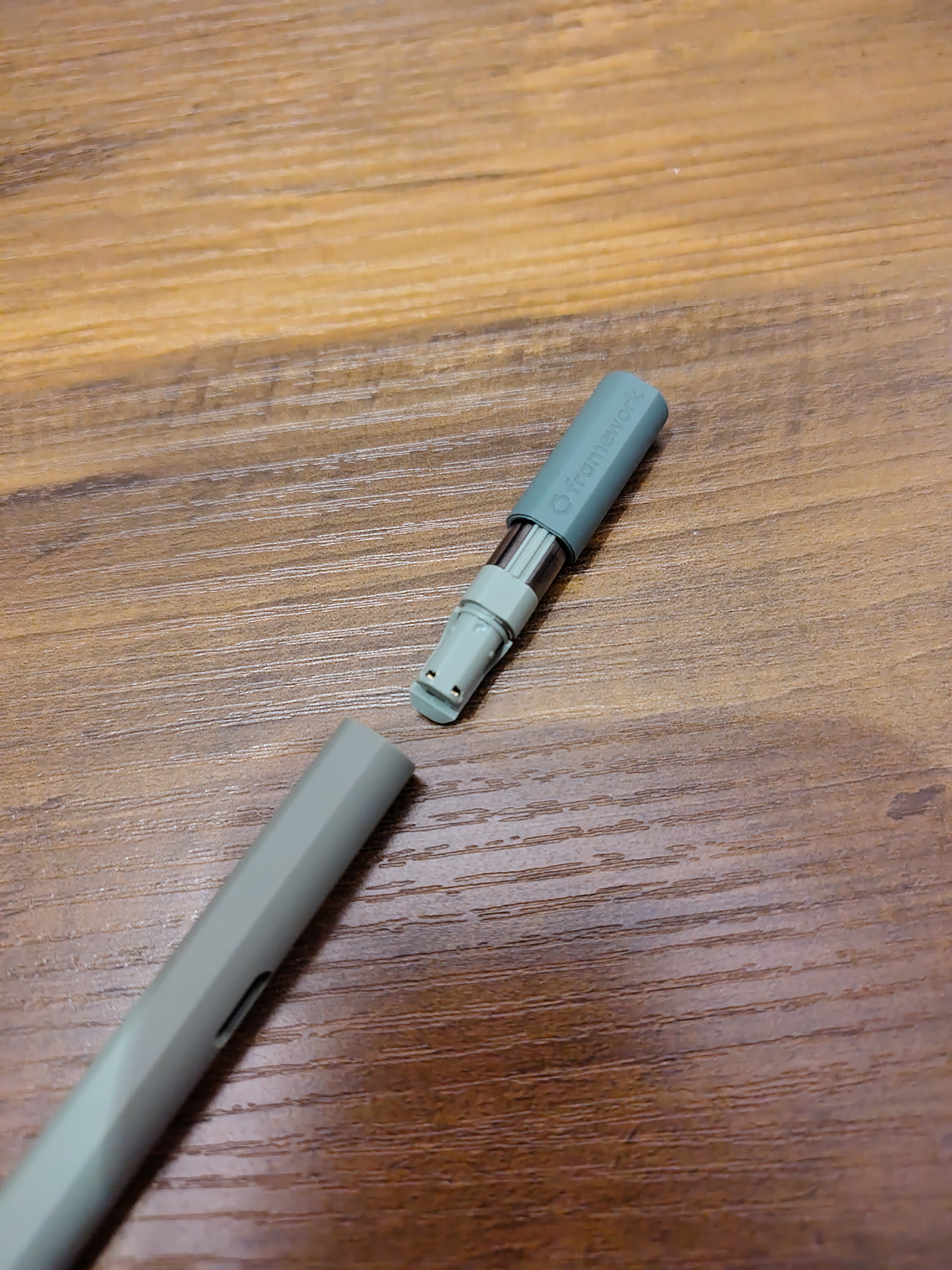
Framework Stylus vs. Metapen Surface Pen M3 Pro

Hi there,

I’ve bought both the Framework Stylus as well as the Metapen Surface Pen M3 Pro. I also do own a Wacom One 13 (1st Gen - DTC133W0B). I’d like to share my experience with both stylus.

Criteria Framework Stylus Metapen Surface Pen M3 Pro Wacom One 13
Diameter 10.0 mm 9.0 mm 9.75 mm
Length 16.6 mm 16.7 mm 15.0 mm
# Buttons 2 (physical) 2 (virtual) 1 (physical)
Button position (comfort) okay (not perceptible) (*1) perfect good (haptic)
Max. distance from screen 7.0 mm 8.5 mm ? mm
Speed/Latency Very good Good (*2) Perfect
Tip Held magnetically screwed pressed
Tip loudness clicky rubbery rubbery
Indicator light (pen is active) No (only for charging) Yes - (No battery)
Battery replaceable Yes No - (No battery)
USB-C port cover No Yes - (No battery)
# spare tips 2 1 3
Look and Feel Nice (good color match) Good but indicator light shines through plastic casing -

(*1) The buttons on the Framework stylus are flush with the stylus case itself. They are only barely perceptible. It is also very hard to distinguish between the lower and upper button due to missing haptic features.

(*2) Somehow I had the feeling that the latency of the Metapen M3 Pro is a little higher compared to the Framework stylus. Writing with the Framework stylus was a touch easier due to being “more responsive”. But the difference is minimal (and may also be a perception problem - I haven’t measured that).

Personal notes

The button concept of the Metapen really worked great for me. You can just tap the stylus with your finger in order to simulate button #1 or #2. It works better than expected and feels natural after a short amount of time.
The buttons on the Framework stylus lack haptic features and are hard to find and to distinguish.

The Framework tip has some wiggle room and as such makes a more clicky sound when you tap the display. This is not loud but worse than the rubbery and rigid tip of the Metapen. I like the Metapen more as it is quieter and as such feels more premium.

The replaceable battery of the Framework stylus is a great idea!

For me personally, I prefer the Metapen Surface Pen M3 Pro a little more than the Framework Stylus. It is mainly due to the sound of the Framework Stylus and the buttons being barely perceptible.

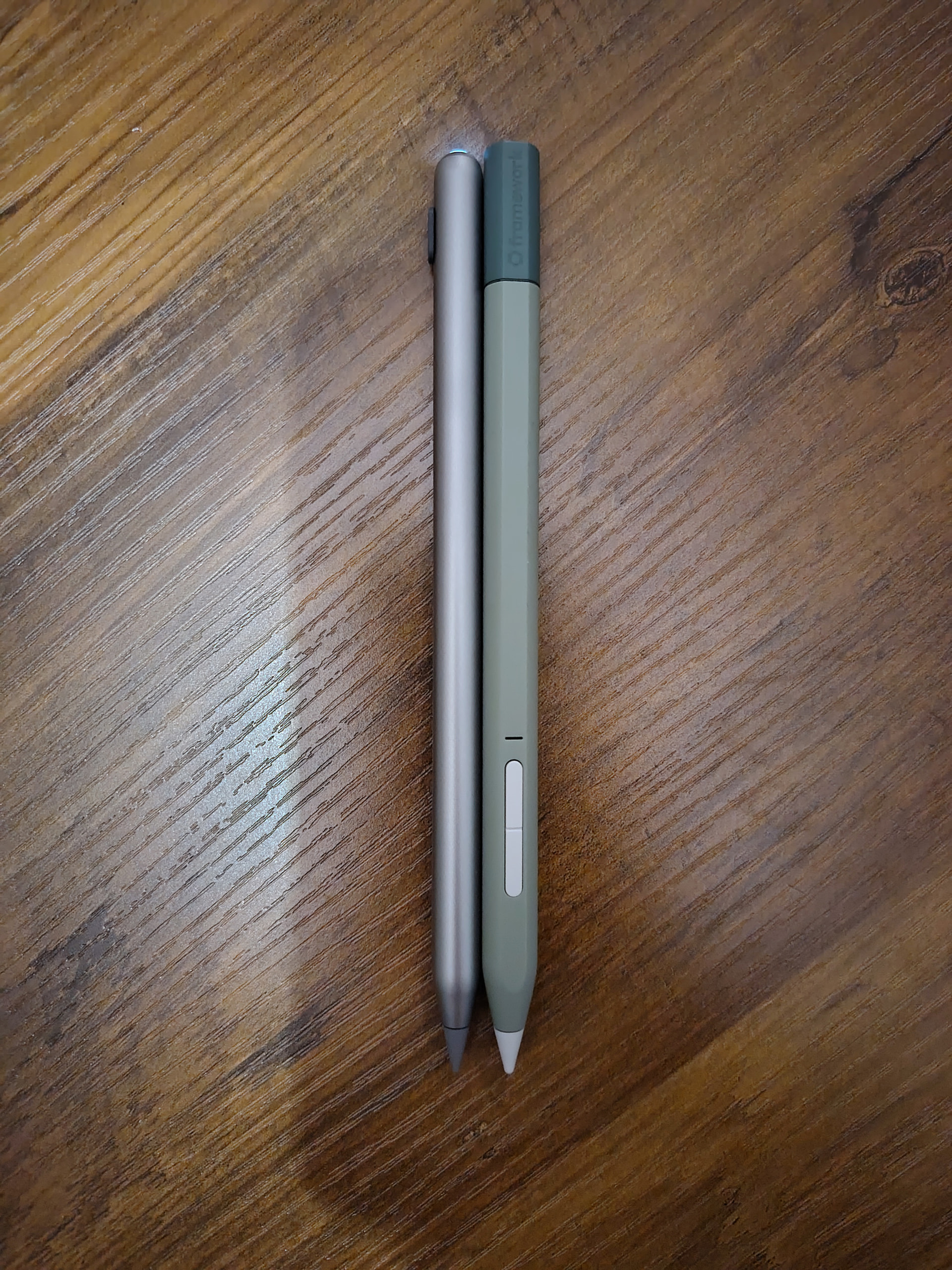
Pictures


5 Likes

Is the Framework Stylus squared off on both sides, like the Metapen M2? Or just on one side like the M3?

The former I found incredibly frustrating when I was using the M2, as 50% of the time I picked up the pen with the button facing down and had to spin it around.

The Framework Stylus is squared off on only one side just like the M3 Pro.

2 Likes

Not 100% sure what you mean with an indicator light, but the FW Stylus does have a battery indicator light, holding both buttons for a couple seconds shows the battery level via the LED (and of course shows while charging).

2 Likes

Thanks! Updated the table to make this more clear.
What I mean is an indicator light that shows whether the pen is active. The M3 is illuminated in that case and can actively be turned on/off by pressing the button on the upper part of the pen. The Framework Stylus is not illuminated during normal operation. I also haven’t found a way to turn the pen off (not sure if that is really necessary tbh).

1 Like

I just got my Framework stylus, so I only have very initial impressions. Just in terms of feel in the hand, the Framework pen feels a lot thicker. It’s not that much thicker, but you really feel the difference. Some may prefer a chunkier pen. I am more comfortable with a slightly thinner pen. Just a personal preference thing. The FW pen isn’t thick enough to be a problem, but the Metapen M2/M3 are more my speed.

Personally, I didn’t find that it was a struggle to have the buttons pointing the right way in my hand. They are on the “flat” side, and I found that without even thinking about it, I always ended up with that flat spot under my thumb, with my thumb resting on the lower button. But the touch-sensitive “button” of the Metapen M3 that goes all the way around is definitely easier in some situations. I typically prefer the unambiguous tactility of a physical button, but the touch “button” on the M3 works better than I expected. Though, my experience with touch sensitive buttons on things like earbuds is enough to make me hesitant to assume it will never be, let’s say “quirky.”

Weirdly, the internal weight of the Framework pen is clearly such that it’s heavier on the rounded side, because if you set it down not on the flat spot, it will roll so that the flat edge is facing up (well, not straight up, maybe canted at a 20 degree angle or so) and stop there. If you rock it in either direction, it will rock back and after some oscillation, again stop with the flat spot tilted a little off of straight up. This isn’t good or bad, it’s just interesting, lol.

As mentioned, it has a harder tip, similar to the Metapen M2, vs. the slightly rubbery tip on the Metapen M3 Pro, or the Microsoft Slim Pen 2. I prefer the harder tip on something like a matte or “paperlike” screen protector, but on the smooth, glossy surface, it’s a toss-up for me, with the slightly more rubbery tip maybe coming out just a touch ahead. But it’s close. Sometimes that slick, smooth glide of the harder plastic is kind of nice. Keep in mind, I’m not an artist and my perspective is not at all that of someone who draws a lot.

I do wish the Framework pen had a magnet, so I could stick it to the side of my metal drawers under my desk. And I wish it was a bit thinner. But I do appreciate the replaceable battery. And the pressure, tilt, and wobble performance are all good. Probably as good as the M3 Pro, and maybe a smidgen better than the M2. The M2 has that magnet though… :wink:

2 Likes

I only have the framework stylus but I really love it using it. The line quality is fantastic and responsive. I encountered no other issues while resting my palm on the screen as I draw.

As mentioned above, I wish the buttons was more tactile. If they ever decide on improving the stylus, that we be on the list besides having a replaceable usb charging port. As of right now, I’m perfectly happy using the stylus for a long while.

2 Likes