FW16: spontaneous SSD coruption (twice!)

Yesterday, in the middle of normal usage, the screen suddenly went blank, and after a few moments popped up this screen:

Microsoft info page on this error

After restarting, I’m greeted by this screen:

That’s what I was afraid of. You see, this is the second time I’ve experienced this exact issue. The first time was in October, when I found that the partition table on my SSD (SK Hynix Platinum P41 2TB) was spontaneously deleted - this is according to Windows Disk Management, when I removed it and connected it externally (via USB adaptor) to a second computer:
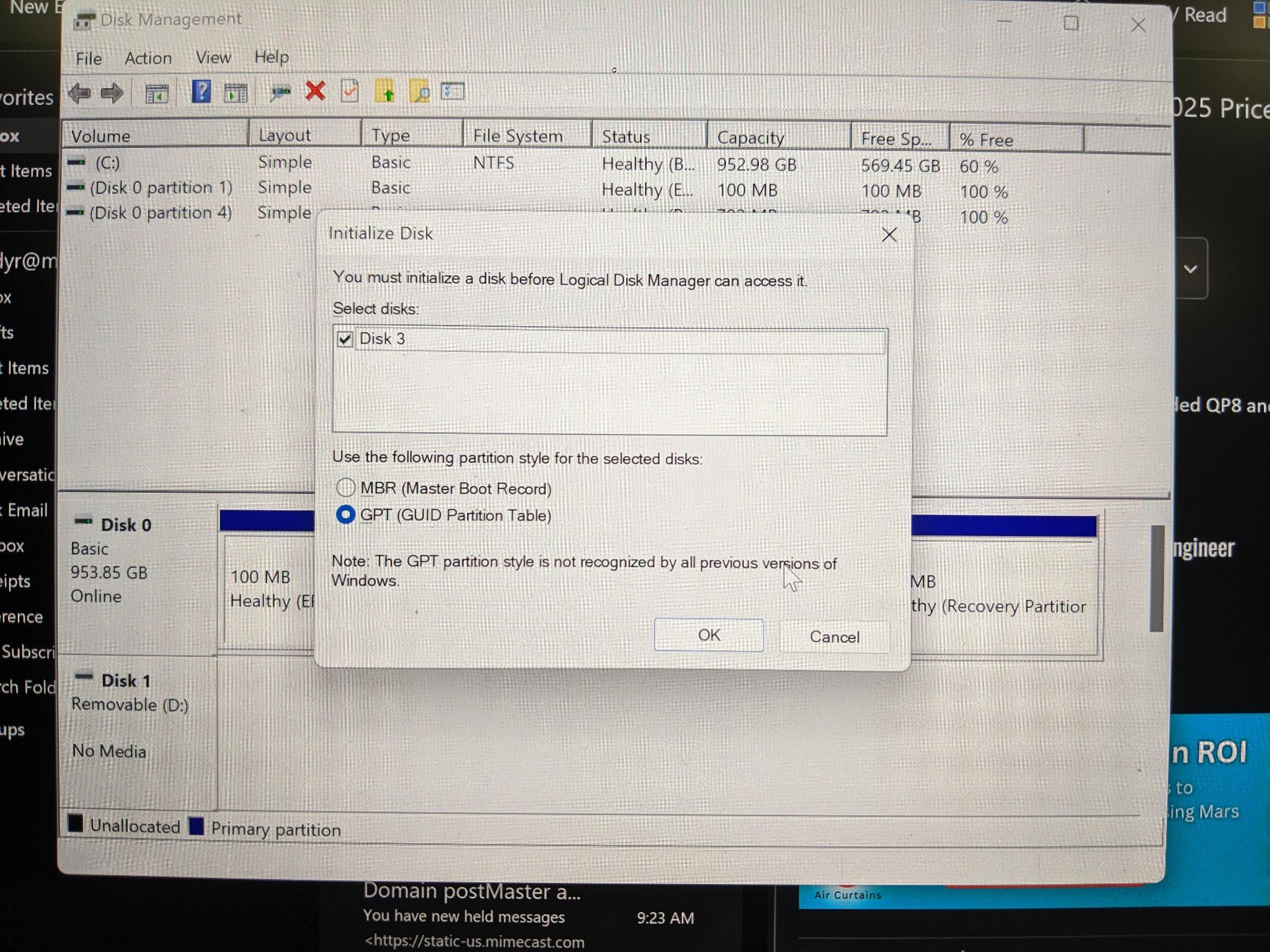
At the time, I believed I had fallen victim to the data corruption bug due to Windows update KB5063878 and Phison pre-release firmware - especially since, at the time of the corruption, I had been in the process of checking in a large CAD file, and the bug is supposedly triggered by large I/O operations. Using TestDisk on my second computer, I was able to restore the partition table (at least partly) and make the device readable - thus I was able to copy my critical data, but the device was still not bootable, nor could Windows Recovery restore the bootloader. So at that point I reinstalled Windows from scratch and updated the SSD firmware using SK Hynix’s official tool. It worked without further issue until yesterday.

This time around, I have not yet attempted any recovery or repair steps: it still tells me that the default boot device is missing. When I look at the Boot Manager, no device is listed:

But the SSD is detected:
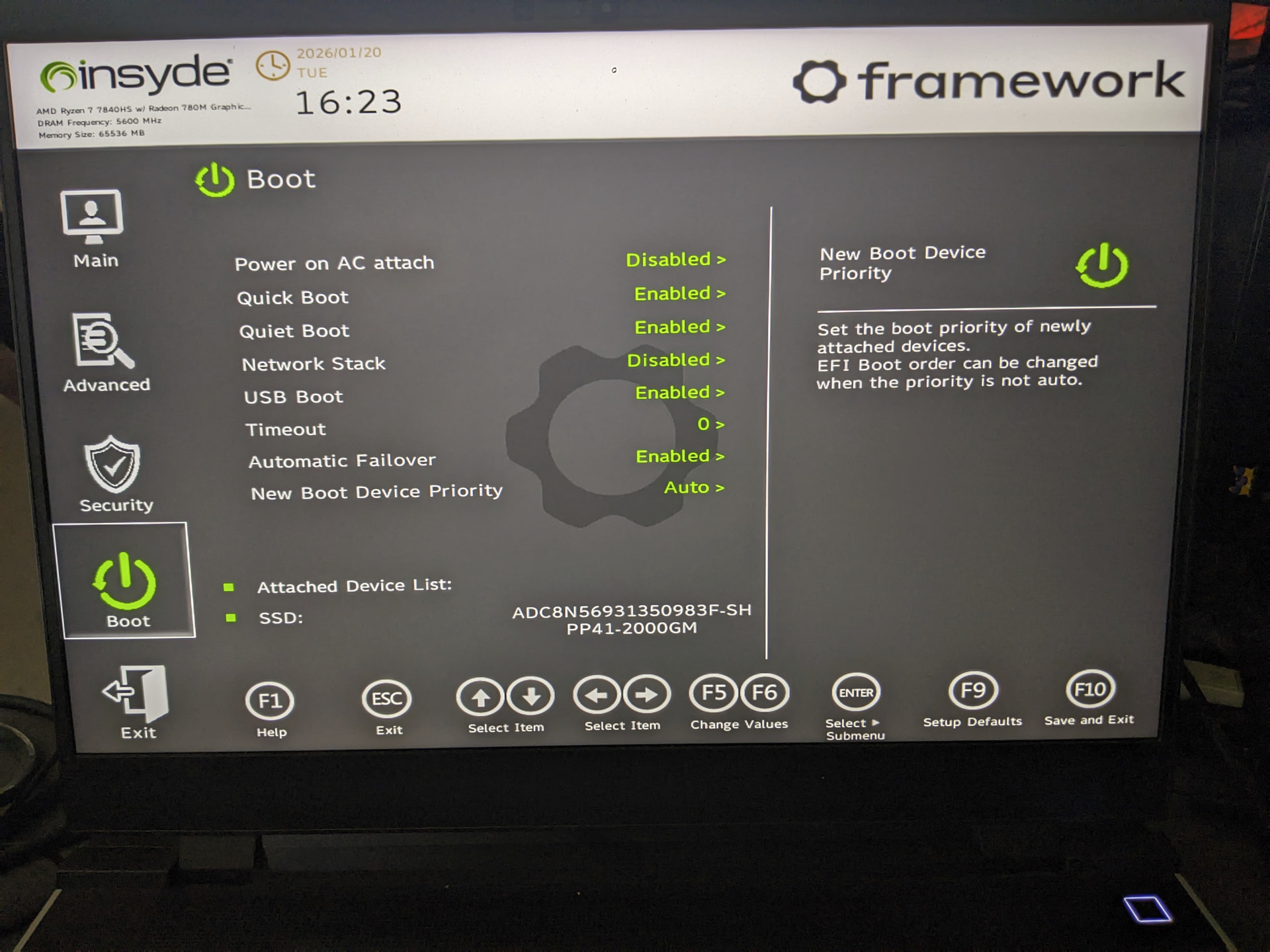
So I’ll bet my bottom dollar that the exact same corruption happened as last time, but theoretically, since I updated the firmware I shouldn’t have experienced the same bug. Also, this time I wasn’t performing any unusually large I/O operations (I had Word open, and had just sent a message on Teams). Any ideas on what I can do to recover without having to reinstall everything again? That was a pain last time.

Also, is this recurring corruption evidence of a bad SSD, or something on the software side?

I’m running Windows 11 on a Framework 16 (AMD Ryzen™ 7040 Series), BIOS version 4.03. I cannot currently confirm what Windows build, but I think it was fully up-to-date before this issue, which would make it 25H2.

1 Like

My first guess at the cause would be a failing SSD.
Try running smartmon tools to see if there are any errors logged on the smart disk logs.

2 Likes

Running the Windows boot media may be able to see that the data on the drive is just fine and the bootable entries were blown away for whatever reason. If this is the second time on the same drive, it is time to just replace it unless risking it happening again is not too bothersome.

Ideally Windows may be able to repair the startup for the machine and it would be back in running shape. Always a good idea to have a base level backup even on a laptop just so it can be restored quickly. Hindsight is always 20/20 though.

2 Likes

To my untrained eye, all looks good:

  "=== START OF SMART DATA SECTION ===",
  "SMART overall-health self-assessment test result: PASSED",
  "",
  "SMART/Health Information (NVMe Log 0x02, NSID 0xffffffff)",
  "Critical Warning:                   0x00",
  "Temperature:                        32 Celsius",
  "Available Spare:                    100%",
  "Available Spare Threshold:          10%",
  "Percentage Used:                    0%",
  "Data Units Read:                    20,287,791 [10.3 TB]",
  "Data Units Written:                 31,193,925 [15.9 TB]",
  "Host Read Commands:                 294,201,744",
  "Host Write Commands:                486,246,396",
  "Controller Busy Time:               1,074",
  "Power Cycles:                       1,772",
  "Power On Hours:                     4,097",
  "Unsafe Shutdowns:                   672",
  "Media and Data Integrity Errors:    0",
  "Error Information Log Entries:      0",
  "Warning  Comp. Temperature Time:    0",
  "Critical Comp. Temperature Time:    0",
  "Temperature Sensor 1:               26 Celsius",
  "Temperature Sensor 2:               28 Celsius",
  "",
  "Warning: NVMe Get Log truncated to 0x200 bytes, 0x200 bytes zero filled",
  "Error Information (NVMe Log 0x01, 16 of 256 entries)",
  "No Errors Logged",
  "",
  "Warning: NVMe Get Log truncated to 0x200 bytes, 0x034 bytes zero filled",
  "Self-test Log (NVMe Log 0x06, NSID 0xffffffff)",
  "Self-test status: No self-test in progress",
  "No Self-tests Logged",
  ""
1 Like

Windows repair detected no Windows Installation (or disks, for that matter), so no dice there.

2 Likes

If nobody has a better suggestion, I guess I’ll whip out TestDisk again and hope for a more comprehensive success than last time. And seriously consider getting a new SSD.

3 Likes

Yes. That looks ok smart status wise.

2 Likes