I’m running Fedora 43 Workstation Edition on an AMD Ryzen 7040 Series Framework 16 laptop, and I just updated my BIOS to 4.03. Since the latest firmware update, I’m getting a screen on bootup telling me to “manually reinstall the BIOS to update PD-1 firmware.”
The first weird thing about this is that it’s telling me my current version is 2.0.0C but it expects version 0.0.21. That sounds like a downgrade.
The second is that I’m trying to follow the instructions on this page, as instructed by this page (which I was directed to by the QR code on the boot page), but the link to “update [my] driver bundle” is circular, pointing back to the page I’m already on. Thus, I have no idea how I’m actually supposed to update the driver bundle.
The third is that whatever is causing this seems also to be preventing me from running Joplin, which I need access to in order to do my work. Otherwise, I could write this issue off as a minor nuisance, easily bypassed by pressing the power button. Although I don’t really want to do that, either, because if something does need to be updated, who knows what else it could bring down at an inopportune moment.
Suggestions?
P.S. This is what I get when I run fwupdmgr update:
To manually reinstall the same BIOS version you already have, for example, because the PD firmware update failed. Look to the " Linux/Other/UEFI Shell update" section of the BIOS update instructions.
This sort of repair work, would be a lot easier if FW also had instructions on how to update the PD on their own, without needing to update the entire BIOS at the same time.
It’s not working. I freshly formatted a FAT USB drive, extracted the ZIP file to it and attempted to boot from it multiple times while holding down F12. Every time, it gives me the initial warning screen, then takes me straight into Fedora. Never acknowledges the USB drive at all.
I tried it with F4, F8, F10 and F11 as well. None of them worked.
Wanna know something else funny? A long press of the power button doesn’t power the machine down, as the screen says it will. It wants to boot directly into Fedora after giving me that screen, and by gum, it’s going to do it.
Press F2 on/off quickly until you reach a BIOS screen. Then “boot from file”.
If it has got to “manually reinstall …” screen, it is too late. Try rebooting again until you get to the BIOS.
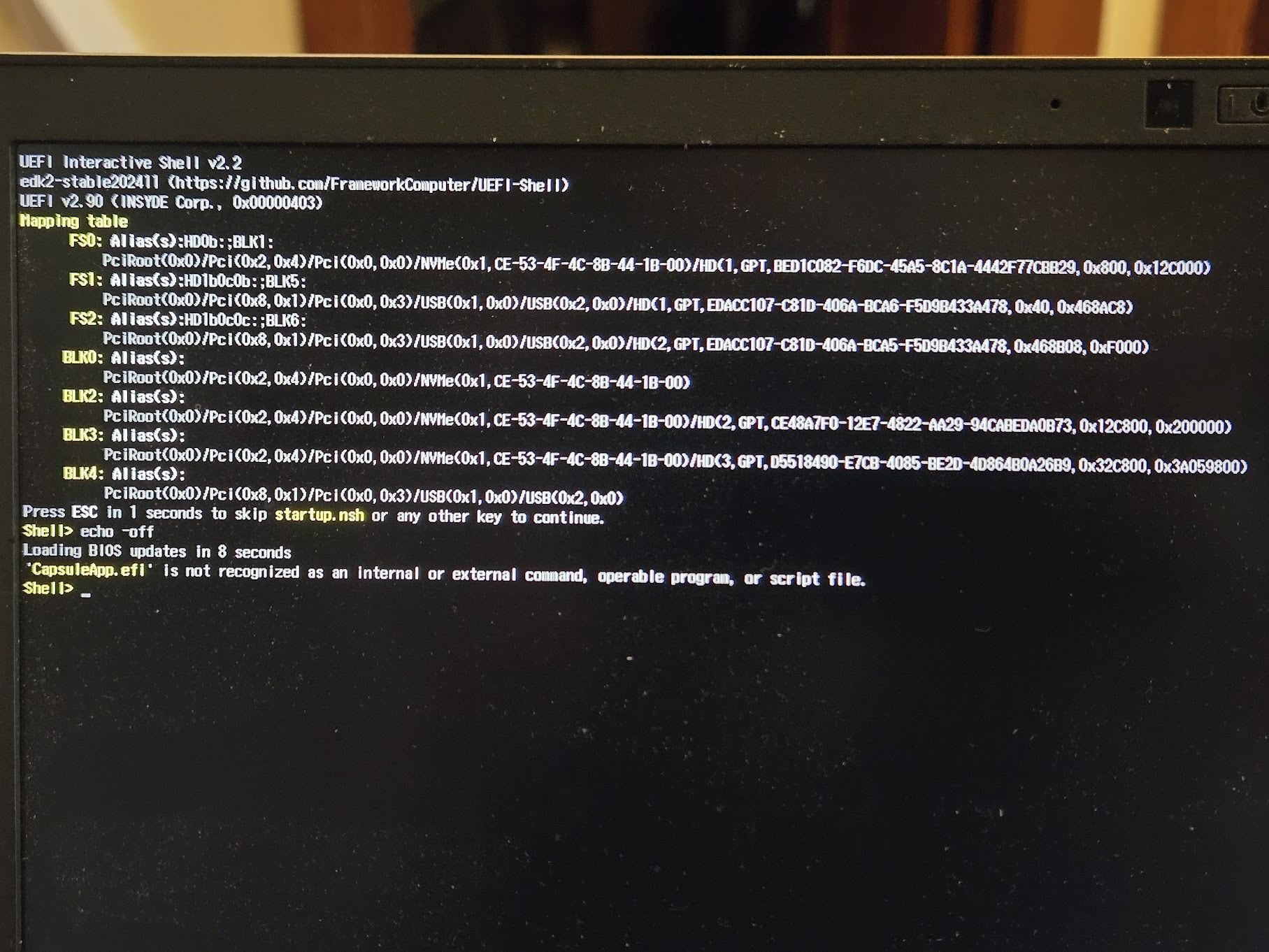
Ah, that got me into the BIOS menu (after the “Manually reinstall …” screen, but I’ll take what I can get). However, my machine isn’t recognizing the USB drive as bootable. The Linux/Other/UEFI Shell update instructions are clearly missing something about how to create a USB drive that can be booted from; extracting the contents of the ZIP folder to it isn’t enough by itself.
Hang on! I think it got sick enough of my fiddling around that it simply stopped recognizing my first USB port as a USB port. I removed the USB drive and plugged it into the second USB port, and lo and behold, the BIOS recognized it and allowed me to boot from it.
This is bizarre, and I have no idea why it should be the case, but powering off my Framework 16 laptop, unplugging all the expansion cards (excluding the one for the USB drive, but including the one that was providing the AC power) and powering it back on seems to have cleared the problem up. I didn’t even have to update the BIOS again.
It continues to work normally after plugging all the expansion cards back in.
in /boot/efi folder.
The startup script should then work, and start updating the BIOS.
Hopefully, it will update the PD firmware this time.
If not, try with the PSU plugged into the other side of the laptop, and repeat.
During the BIOS update, remove all USB slot cards, except the one the PSU is plugged into.