How to resolve refresh glitching on FW 13 7040 when charging

FW 13 AMD 7040u
32gb of Crucial DDR5 ram (2x16)
Solidigm P44 NVME SSD
Windows 11 25h2

My case is similar to others I have read about, but despite engaging support and many assorted tests and feedback for them, I am left without clear direction on cause or fixing the problem.

I’m hopeful someone who’s faced this can tell me what to replace, definitively.

When charging, my screen glitches. It briefly shifts portions of the screen to the wrong place. The glitching is random, but tends to be left to right, top to bottom. Its like watching max headroom.

It only happens when charging. On battery alone, it is fine.
It only happens on the laptop display. Even when happening, it does not show on an attached external display (even if mirroring)

Changing the refresh rate in Windows makes no difference.
I have opened the laptop and adjusted/reseated cables 5-6 times. Sometimes the problem goes away for a time, sometimes it gets worse. It always comes back.

The cables don’t look damaged, but I’m not a fair judge. I’ve sent support a lot of pictures, they haven’t said any of the cables looks like a concern.

The only constant is, it does not happen if the laptop is not being charged.

I have tried four different power sources
65w gan Anker
100w non-gan Anker
65w battery bank (20000w)
100w Dell

Same outcome with all chargers.

The problem started before a battery replacement, just out of the blue. One day I was working remote, battery ran low, I plugged in, problem showed up.

I found a spicy pillow and replaced it. I discovered it when I opened the laptop to inspect the cables, because the problem was happening and I read about cables being loose/pinched.
Replaced the battery. The problem remains unchanged.

Do I replace the display? Or the main board? Or both?

I’m not looking for a free warranty replacement (I’m out of warranty). I just need to fix it.

Thanks
Scott
I would have thought this could be a driver issue, but IIUC the iGPU drives external monitors too, so that seems unlikely. Even still, did you recently apply any Windows or driver updates?

Do you change power profiles when the laptop is being charged? If you set the power profiles to be the same between “plugged into A/C” and “on battery power”, does it still happen?

Thanks Chiraag

No driver updates or anything. I don’t think its Windows updates. I didn’t reboot anytime immediately prior to it happening.

Power profiles is a nice thought. I def run performance when plugged in and battery saving when not.

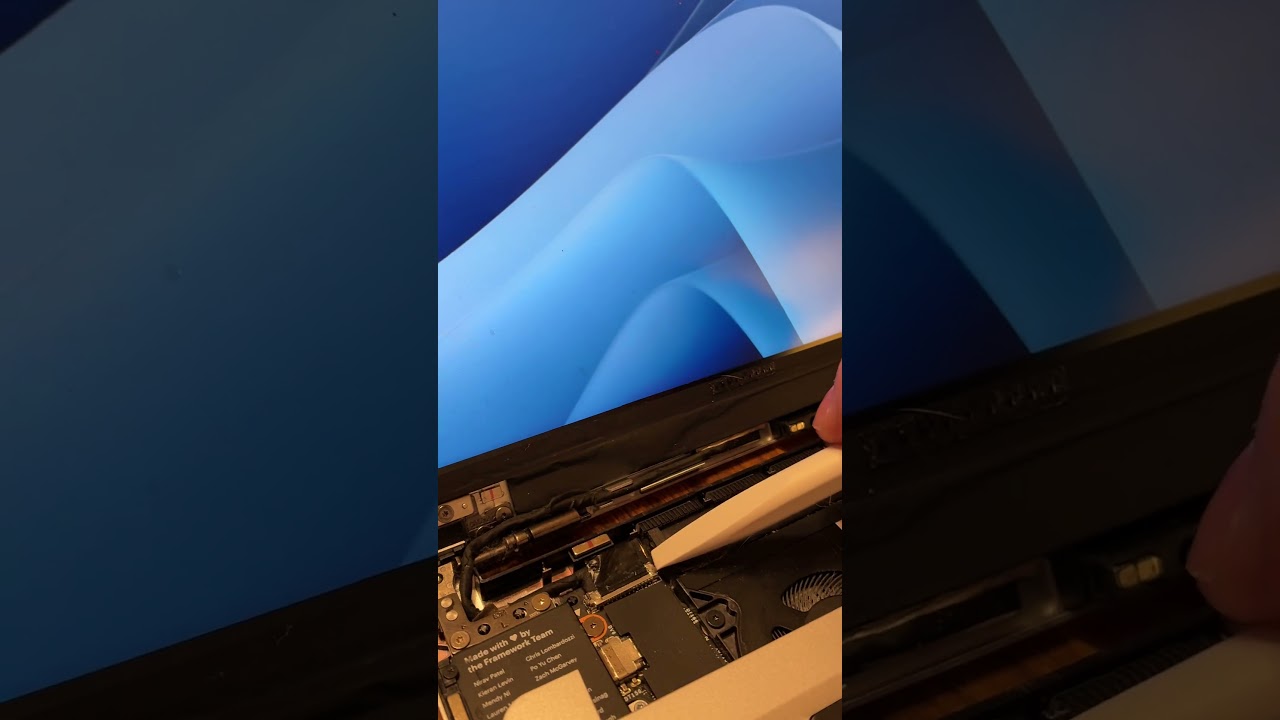
But, in my case, its solidly looking like the cable. If I touch the connector, the video glitches. I captured it on video.

Support asked me to reset the mainboard. In the process of reassembly I powered it on, and then while working to get all the cables back together, brushed the connector. I then discovered how to do it on command and recorded it.

No idea how it got broke. I assume it eventually just failed after 3 years of use. Maybe I precipitated it when changing the input cover a few months back - but it was fine for months after that… so who knows. Maybe I just… opened it perfectly to trigger it, or jostled it just right.

Anyway, there’s something to check for anyone else who runs into this. I updated support with my findings, I’ll share anything actionable they reply with.

-Scott

Remove the cable, clean the connector and install the cable. If the problem persist. replace the display cable. If the glitching only happen on charging, us a grounded power supply, however, the glitching shouldn’t happen just because the power supply is ungrounded

I had a similar issue. If I’m charging while running a CPU-heavy workload, it would glitch:

Reseating, cleaning etc. didn’t help. Turns out the display module was broken. Support sent me a new one for free.

*the CPU load in this example was running supertux with forced software renderer via LIBGL_ALWAYS_SOFTWARE=1.