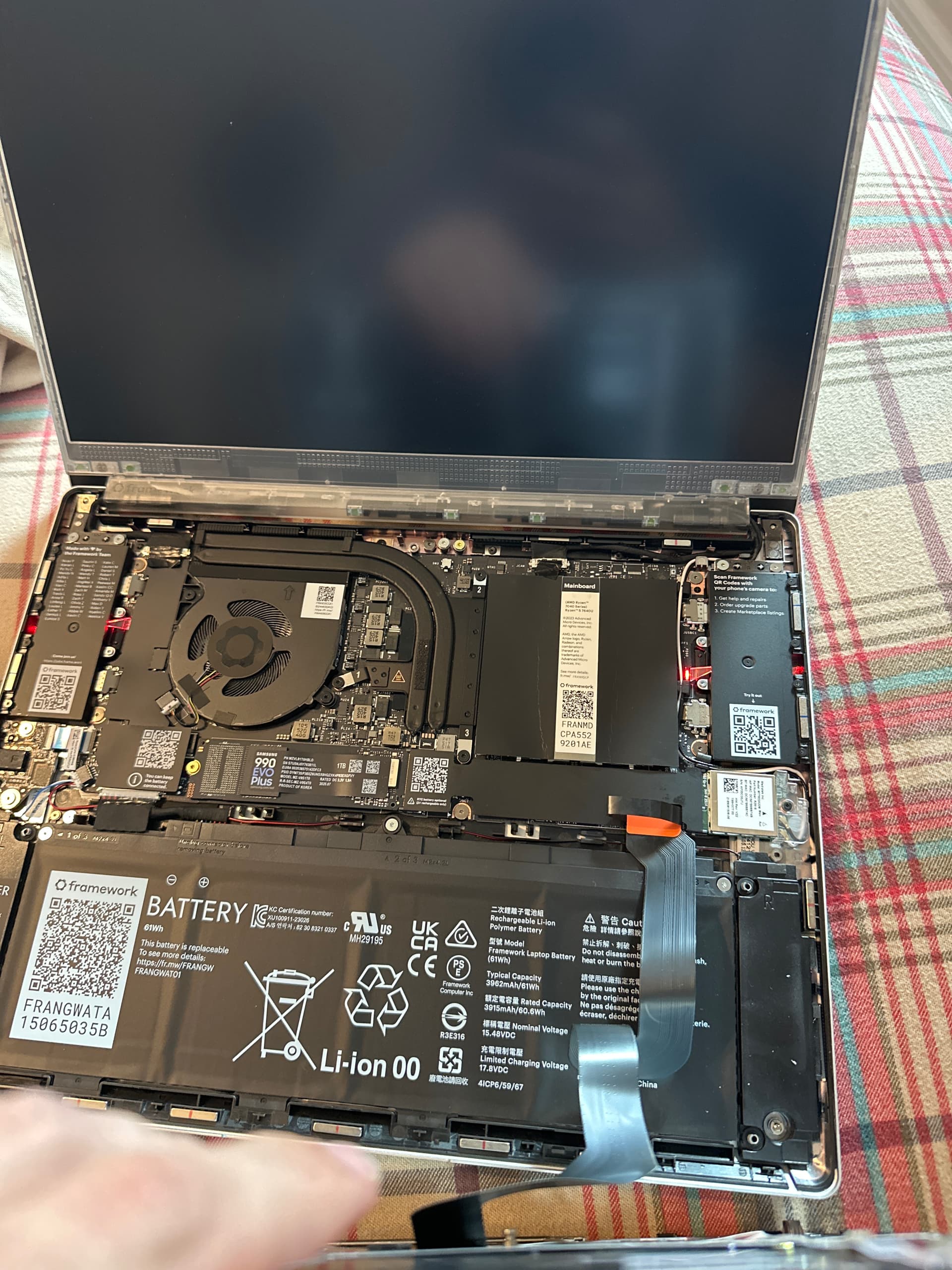
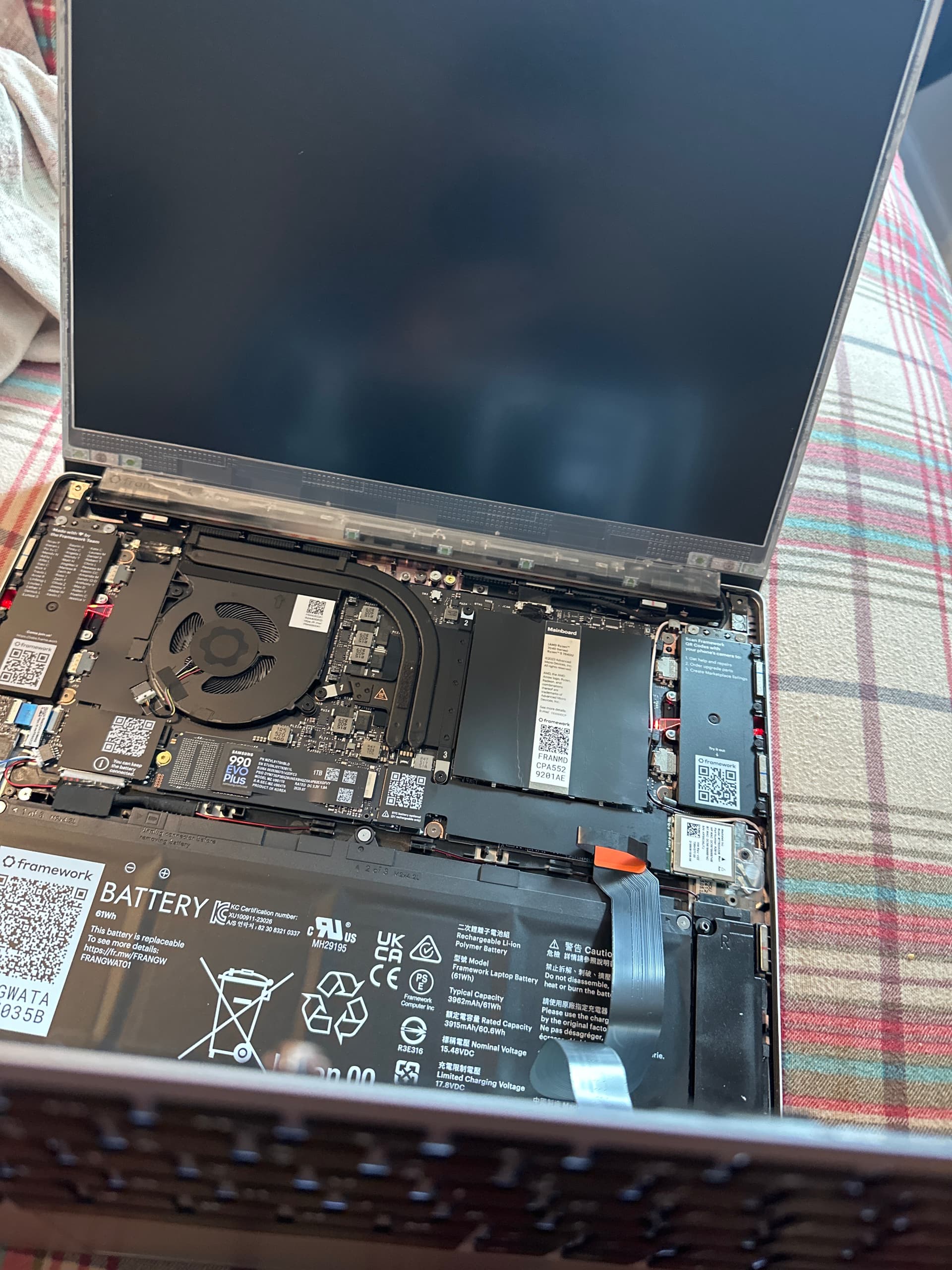
so I bought a diy edition and after several days of use I was bothered by the right side of my input cover having a gap today I opened it up finding a very short screw in between the right speaker and battery, I’ve tried playing with the wires and when I press down on the bottom right corner I hear a snap and the capacitive screw locks into place for that side, also did some research on the screw and it looks like it belongs to this hole labeled juc7 but when I screw it in, the laptop blinks two red lights on the top when plugging in the input cover? I’m very confused as the lights do not show on outside and device works just fine, what do they mean?
After removing that (from the looks) of it sheared screw, top case/ input cover fits just fine. Definitely worth the company noting though for shipping reasons.
That looks like a mainboard screw, not sheared but with the threaded insert come out.
Can you take a more closeup picture of it please?
And check if it looks like any screw is missing in your system?
Yes system works just fine, other than Windows memory hunger. It’s the screw on the right-hand side of the SSD. I put it back in seen in the red light photo I posted, but when I did, it just turned and turns and turns, not grabbing any thread. Is it really needed?