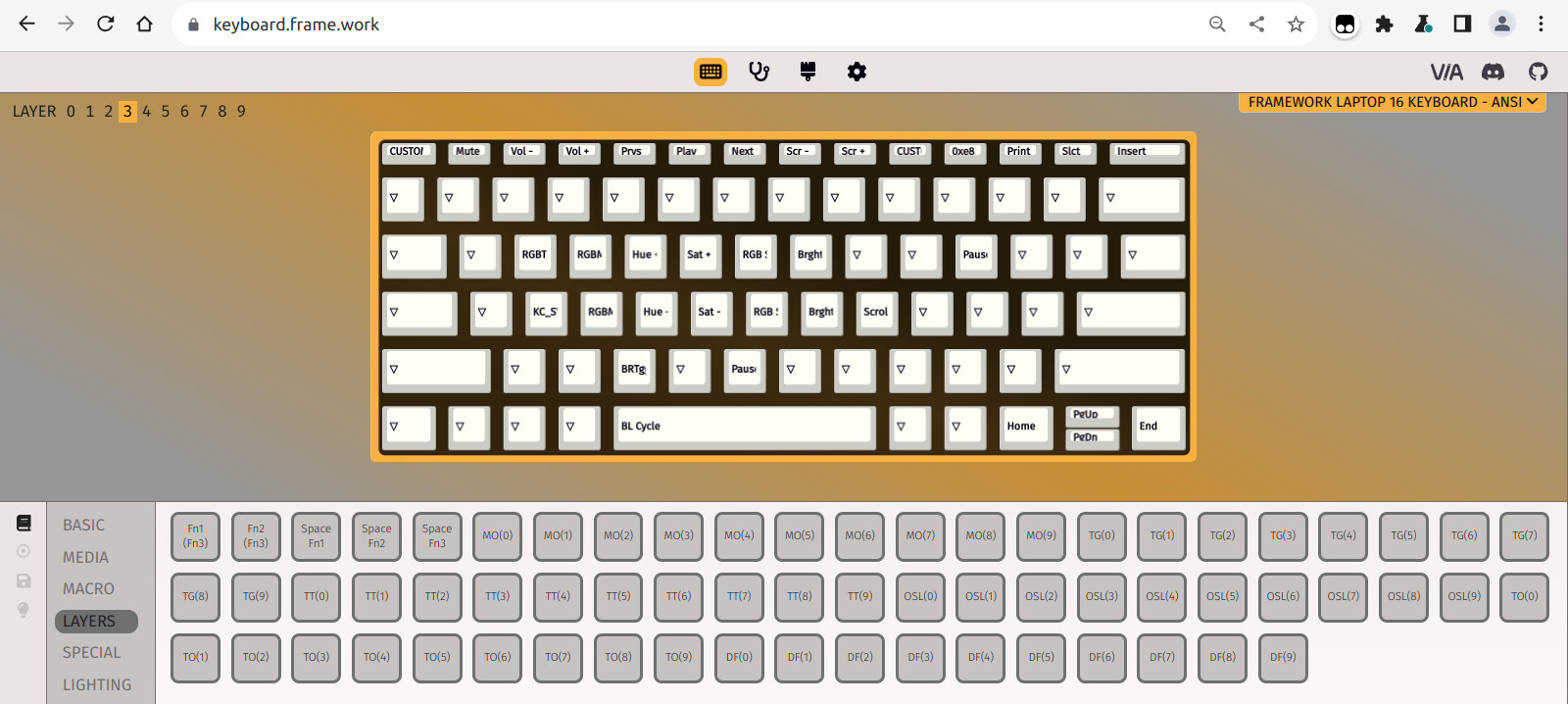
I wonder, how do people use this? I tried to find some stickers with generic icons to put on there, but I can’t find anything, I can’t find any documentation on the Framework site about how to use this accessory and its confusing to me…
The macro pad is made for users that want to map macros to buttons. This can simplify repetitive tasks that take multiple steps (like “instead of hitting ctrl+alt+delete to open the Windows security screen, hit this one button on the macro pad” or “hit this key to open the excel sheet I use everyday to track spending”). If you look through the Framework Github repos, you will find some info about how to interact with/program the macro pad.
If I may, it’s not made only for users who want macros, as its functions are not at all limited to macros. So rather it just for whatever the user wishes. And knowing programming is not needed for any basic functionality, you don’t need to touch github.
All of the FWL16 keyboards will share the same abilities, as they all are based on the same QMK open source keyboard firmware. Keys can be configured through a point-and-click GUI called Via (made by a seperate group from qmk) accessed from a chrome-based browser. Framework hosts a copy of Via at, keyboard.frame.work. But not much point visiting that link without a compatible keyboard connected.
There are a few different themes / color options for the GUI. I just picked one I thought made different elements stand out more than the default theme.
If you search “qmk via” on youtube you should find some demonstrations and how-tos.
Thank you for explaining the technicalities, but I already know how to map keys, I mainly meant that I can’t imagine that people would leave these blank..!
Either way, I do have transfer paper now and I will try to make my own icons, to see if this works out… Still, I wished for some guideline, or even Framework itself selling some stickers to use
Thank you so much..! I was following Framework ever since it first came out, but I never really felt like buying one becasue the battery life was absolutely trash even compared to my Tuxedo gaming laptop (battery was also trash there, but less so).
I’m typing this on a M2 MacBook Air so you can consider myself spoiled with battery life now, but I feel the Framework 16 has now a better battery life with the Ryzen AI (which is hard to guess since Framework doesnt publish battery life anymore, but I got a gut feeling it will be) - if it reaches 8 hours on normal use - I would already be happy enough, especially given that by now, the Air battery life is now far less (and can’t be replaced).
AH that makes sense - thanks for being more specific! I haven’t done this, but apparently “keyshorts” lets you upload custom designs for macro pad keys.
I do actually use the blank keys. I have the top 4 buttons each assigned to switch to a different layer which allows me to have 4 sets of 20 macros. My rationale is that if you do something enough to warrant a macro, you will be able to remember where it is.
In terms of actual key functionality, I use my first layer for common actions in the Sway window manager, the second layer for shortcuts in my IDE, and the third layer for a numpad. I am still figuring out the fourth layer, it is currently used for different screen shotting options (one key for capture window, one key for capture monitor, one key for select region to capture), as well as a shortcut to switch my keyboard language and a couple other things.
I guess I just like the idea of having icons. I haven’t yet tried to use transfer paper, partially because I dont know what the dimensions of the keys will be (I dont have it yet) and I have yet to decide on what icons I want.
I hope that it’ll be possible to map entire keystrokes, so I could do things like make a btrfs snapshot with the click of a button, and a panic button would be nice to close any browser window XD
Not sure if you mean something different, but you can create macros which send any text or keys which you’re able to place on keys normally. If a usb keyboard can send it, it should work. Via does have some limitations in what it can do, I think not with regard to macros though. Rather, other qmk features. A community member made a alternative firmware that supports the much better qmk GUI Vial, in case you run anything you want that Via doesn’t offer. There is also an alternative firmware that supports openRGB, for per-key color control.