New (DIY) FW12 received yesterday, set-up & charged but screen is not turning on. The power button & caps-lock key light up and I can hear the fans but nothing on screen. No LED codes other than charging and some blue flashes on the right on one occassion that I have not been able to replicate (did not get a good look). I have removed and re-inserted the RAM and storage, and am confident that they are in correctly so I am not very sure what the issue could be. Have attached image if it may be of any use. Thank you =)
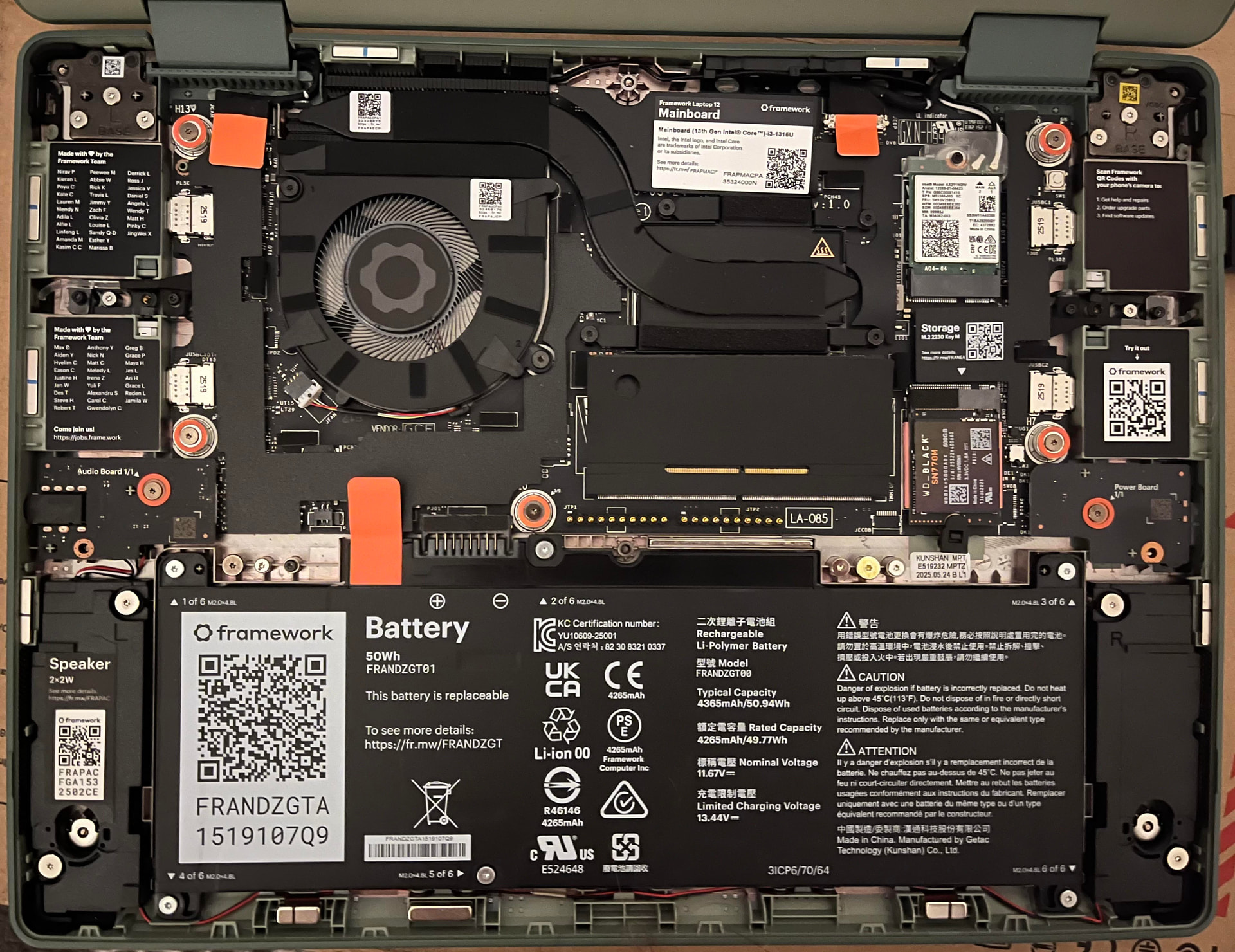
Welcome to the community. On occasion the display connector is not seated correctly or somehow jostles itself loose.
First thing though is to get a ticket going with support so they are aware of the issue being somewhat DOA upon receipt. Plugging an HDMI or DisplayPort card in and trying an external monitor will identify that the system is putting out video and either it is the cable or the display itself. My guess is the cable managed to come loose. Start with the mainboard connector and if that does not solve it the one on the display itself. Do not worry about putting it all back together right away. Just try to get some video out of it first. Support will be the best resource for you.
Let us know how it turns out.
Thank you for the response. I reached out to support shortly after my post and they had me reseat the display cable. I am now getting the flashing light error codes indicating a problem with the RAM stick, have reseated a few times and attempted to reset mainboard a couple times to no change. Would love to try an external monitor but do not have any at the moment unfortunately…
When you say “mainboard connector” and the “one on the display” which cables exactly are you talking about? Support had me reseat the one to the right of the mainboard QR code lable at the top, might as well try the other.
Odds are good that if the RAM stick is bad or not making correct contact it will not pass the POST. Carefully look at the connector pins just to be sure nothing was blocking them (there have been a few posts about a sticker that came loose and partially blocked the RAM slots pins).
If there is a repair shop nearby maybe visiting them and asking to borrow a RAM module to test in the Framework Laptop might be useful. If there is a retailer that sells RAM purchasing a little 8GB stick would be enough to test it out and maybe return the RAM after testing.
This would narrow down whether it was the RAM module or the mainboard. My guess would be the RAM module. It has been happening a little more in the last year.