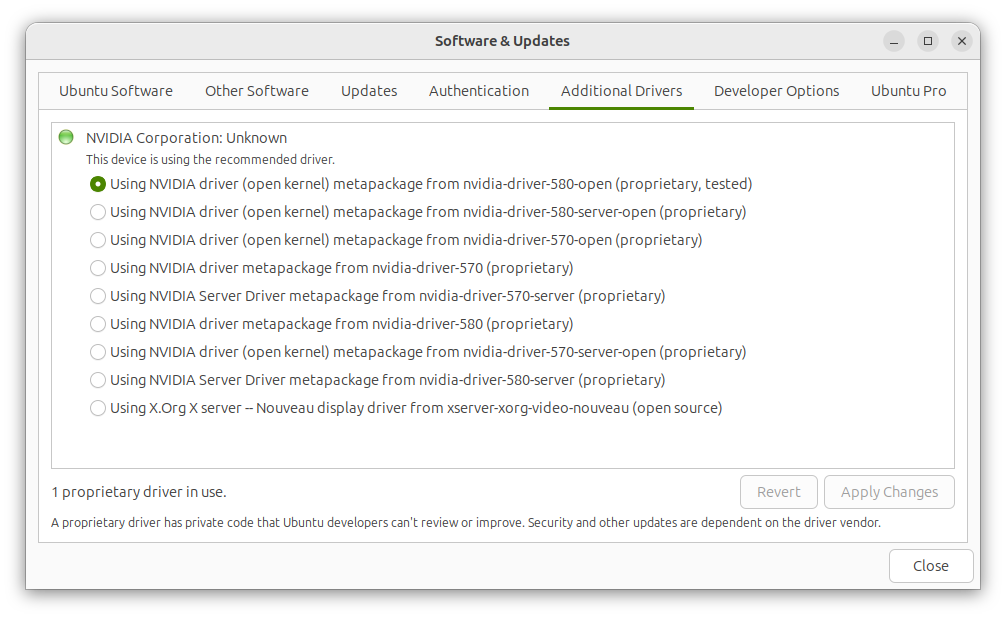
My bad. My system did detect nvidia hardware after I tighten the interposer, but nvidia doesn’t appear to be running on my system.
nvidia-smi NVIDIA-SMI has failed because it couldn’t communicate with the NVIDIA driver. Make sure that the latest NVIDIA driver is installed and running.
The nvidia card should still show up there even if it’s using the default nouveau drivers. This to me sounds like some issue with the mounting of the interposer, I’d recommend taking it off, wiping it all down with some ISO or blowing it with canned air, and simply remounting and trying again. I know it sounds silly, but I had that fix this issue for me at least once with my RX 7700s.
If that doesn’t work, I’d recommend reaching out to customer support.
I had the same issue, it never shows up because it is not awake most of the time, the solution is to plug in to allow full power and switch to performance mode to allow it to be used at full capacity, then whatever you want to launch with the discrete gpu type in the name a program then a space the DRI_PRIME=1 and press return. Given the mux switch is automatic it will likely never show up, I use a near identical machine with the newer ubuntu 25.0 and it just doesn’t show up, if you connect to an external monitor through the rear port and force it to power on it may show up.
it won’t show up for me either but it is there and is usable through the command line and if you right click icons and select launch with discrete gpu it should work though the dri prime method will work even if the button doesn’t, it is there you just can’t see or detect it, this is further proven by pytorch, a python gpu package which can somehow use it but is not able to see it.
I have a command to check if your computer is using the drivers for the dgpu and if it therefor sees it at all, it it does you are all good and the output should say something to the effect of: VGA compatible controller: Advanced Micro Devices, Inc. [AMD/ATI] Navi 33 [Radeon RX 7600/7600 XT/7600M XT/7600S/7700S / PRO W7600] (rev c1)
This is if you are using the rx7700s but you will get the nvidia equivalent if everything is working fine. (it will also have the same for the igpu with it’s drivers and information)
This usually isn’t just a driver issue — especially on Framework systems where power states and hardware detection both play a role.
If nvidia-smi can’t communicate with the driver, it generally means either:
The driver isn’t properly loaded
Or the GPU isn’t being initialized at all
A few things I’d check:
Run lspci | grep -i nvidia → does the GPU even show up?
Make sure you’re on a kernel version that properly supports your GPU
Try running on AC power + performance mode (some systems keep the dGPU inactive otherwise)
Reinstall drivers using distro packages (not manual .run installer)
Also, in some cases with modular hardware (like Framework), it can even be a physical connection issue — reseating the module has actually fixed it for some users
Before going too deep into configs, it’s also worth checking how the GPU behaves under load once detected.