I have been experiencing this issue for a while. If my laptop is bumped hard or if I put pressure on the upper part of the keyboard, the laptop reboots. I thought it was a loose battery connector based on this other post: Check your battery connector if you encounter random reboots but after checking the connector it looks fully connected, and I didn’t see anything else that looks loose. Has anyone else experienced anything like this or have any thoughts on what might be wrong? I’ve submitted a support ticket as well but figured I’d post here to see if anyone else has ideas. Thanks!
reseat the RAM?
ah that’s a good idea, that would be near the top of the laptop. i thought about it when i had it open yesterday, shoulda just done it. thanks! will report back if that fixes the issue.
Hey Ibrahim. Try the RAM reseat. If that doesn’t work, would you mind maybe showing a picture of what part of the keyboard you’re pressing on that causes this? Might help us narrow down and underlying components / connectors.
I was experiencing random reboots, and the two things that seemed to make them more likely was:
- Being plugged in (as in, already connected to power, not just the moment you plug it in)
- Moving the laptop, especially if I was lifting it with 1 hand
I bought a replacement bottom case and a replacement input cover for unrelated reasons, but the random reboot has not happened ever since I moved everything into the new bottom case + input cover (probably ~2 months now).
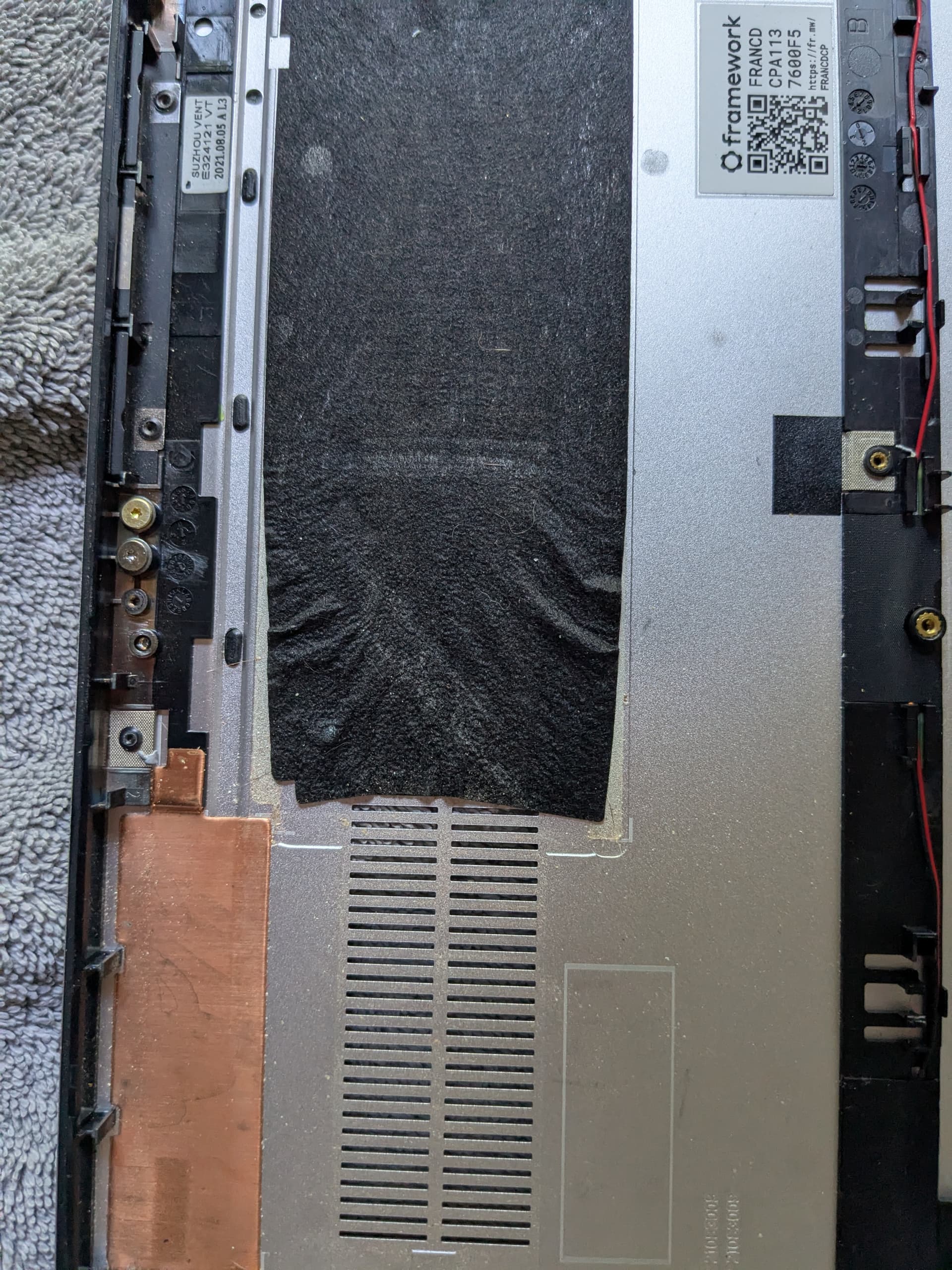
As for what the cause could be, I don’t know. My current theory is I noticed that underneath the motherboard there is some black tape which I assume is to electrically insulate between the metal case and the motherboard. On my original bottom case, that black tape had scrunched a bit so it wasn’t covering the full original area. I assume that was the result of years of heat causing the adhesive to melt. So my purely speculative guess is when I moved my laptop, some metal on the bottom of the motherboard would touch the metal case and cause it to reboot.
Before moving to the new case I had tried reseating the ram and reconnecting all the connectors which didn’t end up solving the issue for me. But who knows, moving to the new case definitely required reconnecting all the connectors again so its always possible that it was fixed from just doing that again 
Edit: attaching a photo of the scrunching, but I can’t stress enough that I’m just guessing on what was causing my random reboots.
1 Like