[SOLVED] An Adventure In Mitigating Throttling

I solved it!!!

There were definitely some overheating issues with my device, but after several modifications, repastes and etc. I got my temps down pretty low but this still didn’t resolve the issue I was having in BF6 where after ~25 minutes of gameplay my performance would nose dive.

To tell a very long story short, it was all due to the battery (after overheating was resolved)!

My 240W charge is not actually enough to power the FW 16 at full throttle in BF6 and charge the battery at the same time. I’ll pull anywhere from 2-20W from the battery while playing… that is until the battery hits somewhere around 93%. At that point, it seems to go into this state where it no longer pulls from battery, but also doesn’t charge. My dGPU power targets start jumping up and down like crazy, almost as if it’s going back and forth from battery power once or twice a second. Using Framework Control to manually set a charge limit below 90% I was able to drain the battery below this odd threshold. The way this seems to work is while above the charge limit the device will operate entirely on battery (and using battery based power targets) but once it hits the charge limit it’ll start using the PSU again. Once it’s using the PSU again I’ll start draining the battery again at that 2-20W rate. However, it seems that when the battery percentage is lower, it doesn’t encounter that weird alternating behavior where power targets jump around, instead it’ll happily continue using the battery like it would on a 180W charger. I assume if I let it drain to ~30% then it would force a power target to allow charging again.

Using this knowledge I was able to play BF6 at full performance without throttling for a couple hours, that’s much longer than the 25 minutes I was getting before!

I do think that there is still some sort of thermal component to this, perhaps running a little hotter results in more power draw, idk, but if I put extra cooling on the device (such as removing the mid plate or using a cooling pad) then the battery trickery isn’t necessary. But, I’m able to finally get the performance I’m looking for now, so I’m gonna stop messing with this for a while. Whatever that relationship is with

One last thing I’ll note is that using a usb-c power meter, the most I’ve seen pulled from my PSU is 217W, which is a lot less than 240W it would seem, but my 180W usually only ever pulled ~160W at most, so I figure that’s just how it is. After I used Framework Control to mess with the charge limits, my PSU only ever pulled ~200W and I no longer saw the spikes to ~217W.

On another note: Making some modifications to my upper ventilation dropped an extra 10c off my gpu, so that was worthwhile IMO. I have no problem trading the slight hit to structural integrity and needing to clean dust out more often. Plus now I can see whether the fans are spinning or not much easier :slight_smile:

2 Likes

Might this be related to the battery flipping issue then?

As much as I frequent this forums, I don’t know what issue you’re referring to. What thread did I miss that in? It sounds related.

It looks like it started as a FW13 thing but I have seen mentions of the FW16 in the thread. I must confess I haven’t followed it closely but it is what I thought of upon reading your previous post.

1 Like

Ah, that would explain it. I only look at the FW16 threads. Thanks for sharing!

1 Like

Framework laptops have a flaw on power management. If the charge controller is in mode NORMAL or IDLE, battery power will be used to supplement peak loads it the load is higher than AC power supply wattage. However if the charge controller is in DISCHARGE, AC power will NOT be used if the load is higher than battery’s max power, instead the computer will throttle like crazy.

Use sudo ectool chargestate param 2 5000 to make the computer draw 5A instead of 4.5A from the 240W adapter

I tried that command while gaming and, really weird stuff started happening. I’m gonna have to mess around with this some more and dig deeper. I did find that using balanced instead of performance greatly increased my stability in longer gaming sessions though without any noticeable hit to performance.

Rereading this thread, I now fully understand what you were saying. I had not known my device was trying to charge when I encountered these issues, because the charge % does not go up when it is doing so IME. My apologies for not understanding you sooner.

In my defense, I did definitely have thermal issues on top of the battery flipping one. Only once I had fully squashed those did I realize there may be more at play. On the bright side, my thermals are now very good.

1 Like

Wanted to mention that I was in warranty and the new motherboards did not help. There is a critical thermal problem with these laptops that none of the reviewers mentioned even gaming reviewers. As far as I can tell it effects all liquid metal motherboards. Not sure if yours uses LM or is the new phase change pad.

Also wanted to play BF6 and it felt horrible.

Hmmm I have two fw16 in the house, one from batch 16 or 20 and one bought right after..

I would think they both have LM but how do check ? And don’t seem to have had issues with heat…well they run hot but never had stuttering or power issues

Unless of course they could run cooler if I switched it out? Hmmm

This is strange to me, as I never had throttling issues with my FW16.

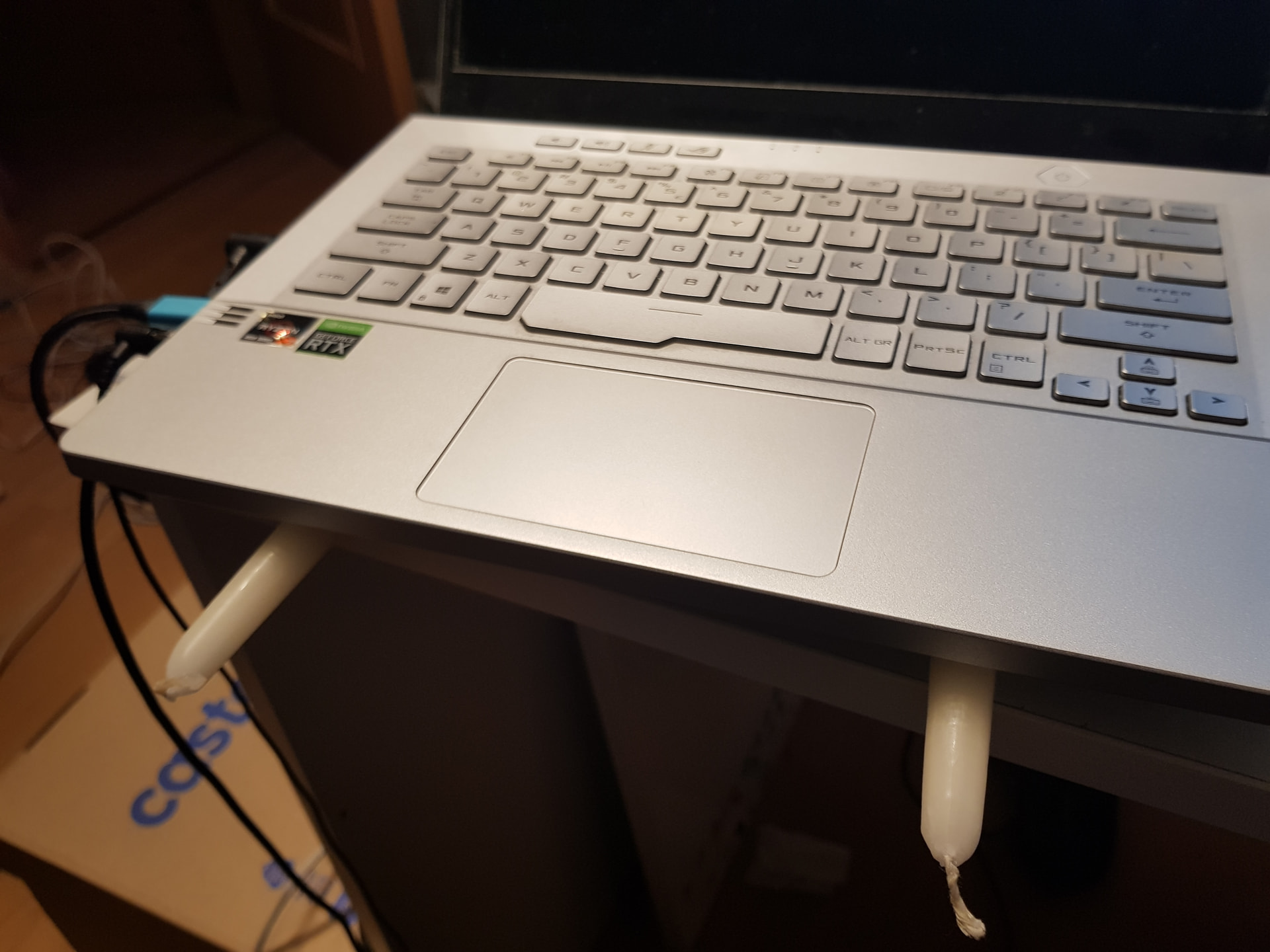
Anyway, with regards to thermal management I’ve found that candlesticks are an amazing phase-change material. Never needed them for the FW, but my previous laptop had terrible overheating issues and the candles not only provided much needed airflow, but also increased contact surface area as they softened.


1 Like

Hi, I think I’m seeing a similar issue on my F16 (purchased very recently) but I haven’t had a lot of success tweaking the charging limit. What exactly were the steps taken to fix this? I have set charging limit to 60% in the BIOS and I’m running on AC power (180W) but I still get microstutters after a few minutes. Temperature doesn’t seem to be out of the ordinary.

I might be battery charging.
Look at “ectool chargecontrol”

If it says “idle” it is not trying to charge.
If it says “normal” it is trying to charge and therefore might cause stutter.

Also, set charge limit to 70 or 80%.
At 60%, the EC starts throttling back.

The fix I was using was to remove the current derating to allow higher charge wattage from the PSU, however I’ve since found that this is not stable. It appears that after a long enough session, the wattage demand will drift upwards over time. I don’t know why this is, but a power demand of 205W will drift upwards towards 240W over the course of a couple hours. So while a charge current override may work short term, it does not work long term, at least on my rig. I don’t know why the power draw increases over time (validated with multible power draw meters at different stages), but I assume it has something to do with heat.

The 48 to 20v buck converter heating up and getting less efficient would be my guess, since the input current limiting is done behind that.

May be interresting to compare the current readings at the “input” of the charge controller, think james made a tool for that at some point, if they are the same for the early 205 and the later 240w it’s probably that.

Does anyone happen to know…

where this is located and what it looks like? I’d love to try my hand at modifiying it with some active cooling if possible.

Don’t know for sure but looking at a picture of the mainboard it’s probably somewhere around where the big inductors above the storage are (the inductors don’t really care about heat but the mosfets around feeding them very much do).

Before you start modding stuff it would be good to confirm though, the charge controller can report the current on it’s input (which is the output of that buck converter or in the case of <20v the usb-c ports directly).

Edit: So looking at the simplified schematic you should probably go look for an LM5143, it’s inductors and mosfets should be around it, interestingly it looks like there is current measuring circuitry in front of the buck converter too, I wonder if we can somehow access the readings from that too. The current limiting is done by the isl charge controller which is behind that buck converter or the bypass though, so the current measuring in front is probably just for information.

Oh yes they do, especially ferrite cored ones. Ferrite has quite a low Curie temperature, and if the core gets above that temperature it suddenly becomes non-magnetic. Its magnetic properties return when it cools down.

For a lot of ferrites the Curie temperature is in the range of 55-80C. I’m not aware of any with a higher Curie temperature.

5~48V/5A that could explain my (similarly) FL13 supports 12V/5A and 15V/5A, even 5V/5A works sometimes, although it’s very rare for power supplies to have these ratings.

Since Framework’s EC has a default behavior of X0.9 current, what will the power go for FL16 if 20V5A100W is connected? NVDC or BYPASS_B?
Edit: specified model

Then those are likely not used in power delivery, all the ones I ever looked at had rated operating temps way above the thermal runaway temperature of the mosfets they work with is north of 100C.

The 13 doesn’t have bypass even 100w uses nvdc.

As far as I understand it on the 16 even in bypass mode the isl charge controller is still in charge of enforcing the input current limit (not entirely sure how though but it uses the same ectool command to do it as on the 13). It is possible the buck converter on the input also has an input or output current limit set though (more likely output as apparently the resulting input values change over time).