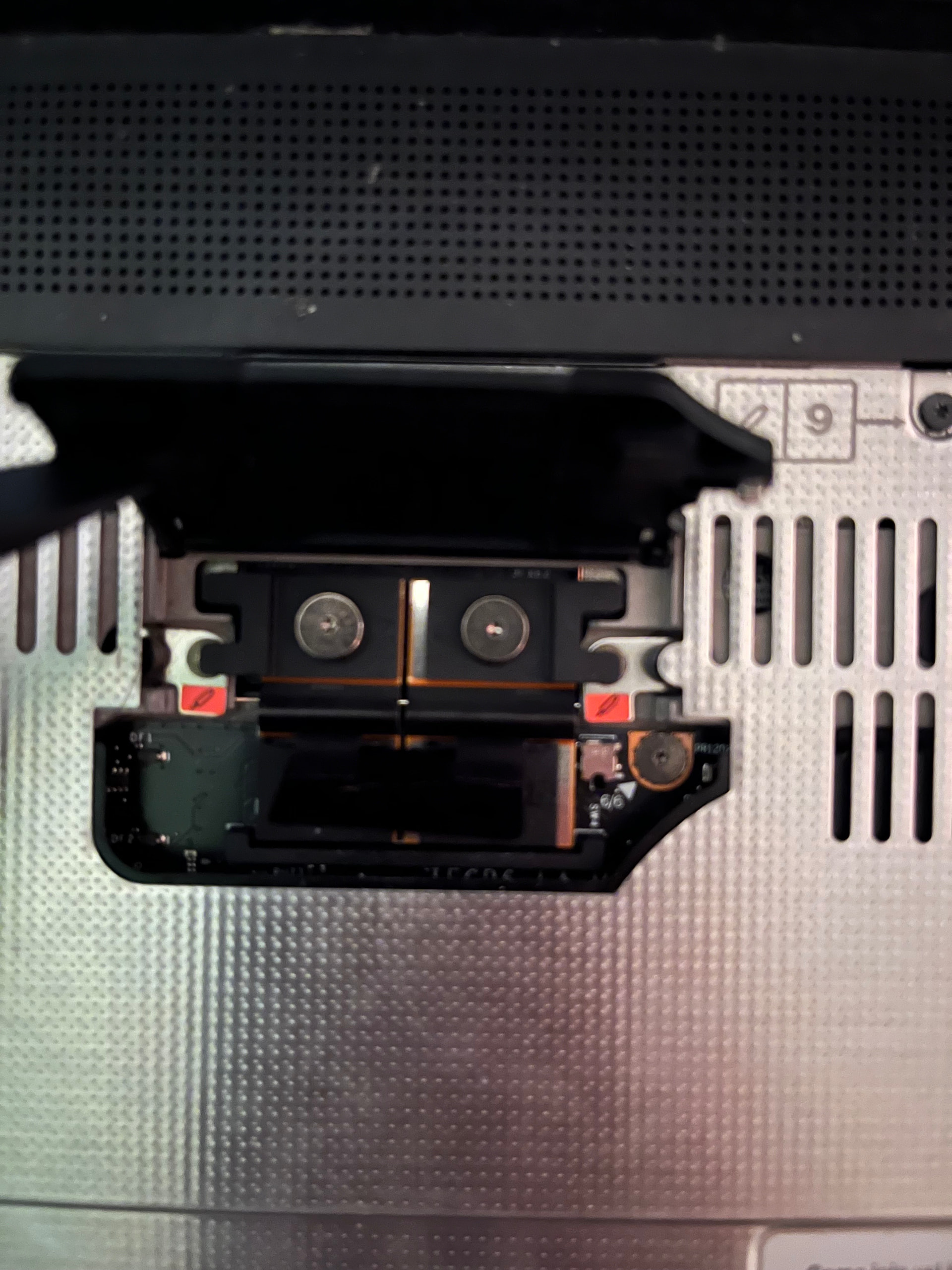
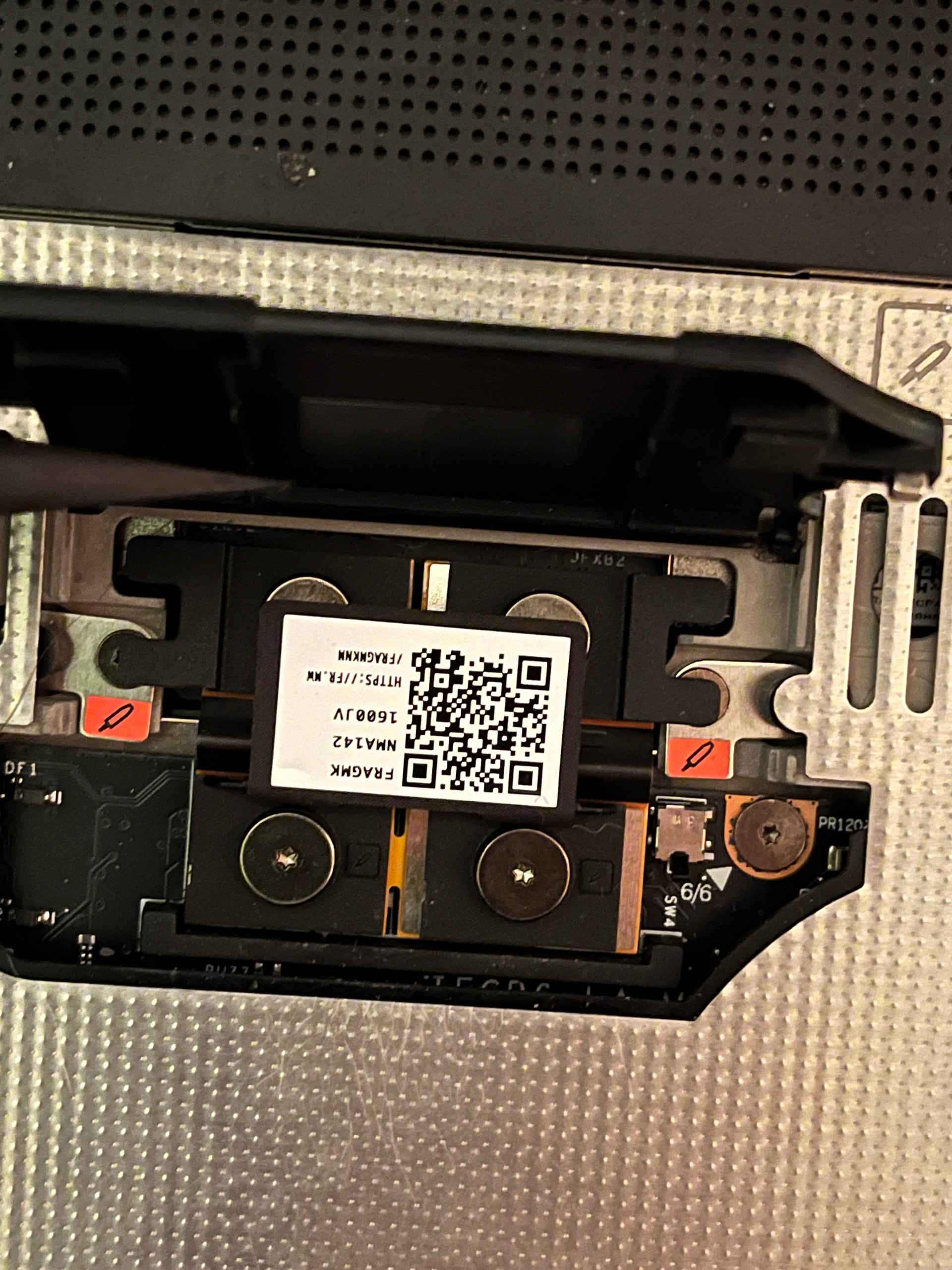
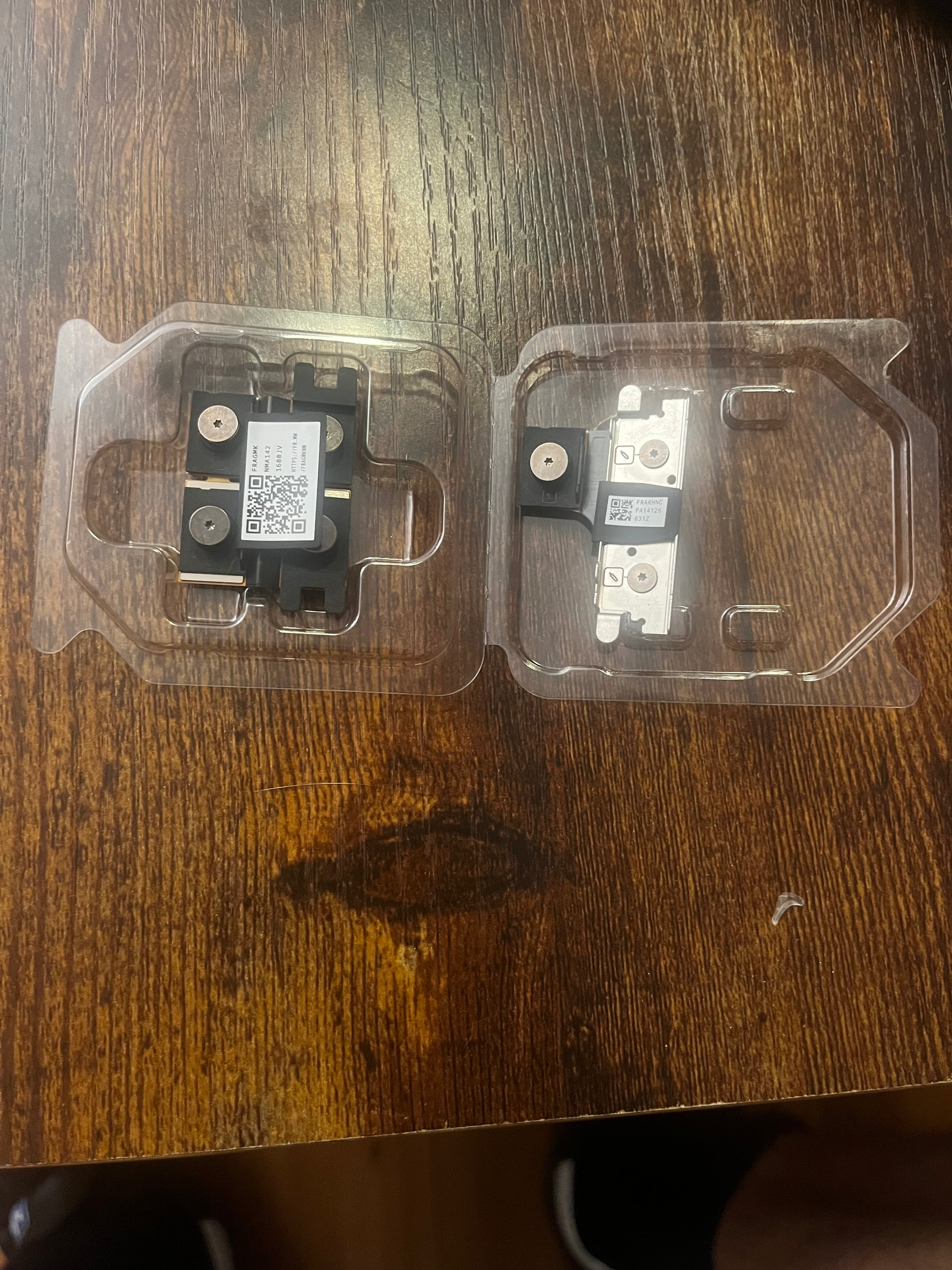
Hey all! I’m looking to see if anyone else has had this issue as support has not gotten back to me yet.
Specs: FW laptop 16 windows 11
I recently installed a 5070 graphics module and I the laptop does not recognize the expansion bay. I am getting the grey screen with the warning “no expansion bay detected.”
I tried reseating the graphics module and interposer three times. I switched back to the old expansion bay module and it was detected right away.
I tried the new 4.0.2 BIOS update as well.
I have tried scanning for new hardware in the device manager as well.
Any more trouble shooting tips before I declare something wrong? I have seen one thread on this and one thread on reddit with little no solution.
Someone else had a recent situation I believe just like this and the interposer that came with it was bad but the one from their 7700 adapter worked so they were fortunate to not be dead in the water.
It also might be notable that the expansion bay and graphics module have different interposers. I think your graphics module should have shipped with its own interposer (which is the same type of interposer for the 7700S and 5070).
Yes it did indeed. If I was a betting man I would bet the interposer shipped with the 5070 is dead. However I am upgrading from the stock expansion bay so I can’t try out the old interposer as you say.
I’ll update everyone when support gets back to me. Hoping it’s just a bad interposer and not a bad expansion card.
If you have a multimeter on-hand you could ring out the interposer pins. That wouldn’t test for something like a partially-damaged connection that creates some limitations to the sensitive PCIe lanes and… well, the best-case scenario would be that you’d know without a doubt there’s a problem with the interposer.
Oh, last thought: you tried the 4.02 BIOS (which is a hard requirement). Did you also install the new driver bundle? You have to install BIOS 4.02 or newer (there’s also a 4.03 beta release) and driver package 3.01 or newer (there’s also a 3.02 beta release).
framework_tool --expansion-bay
Expansion Bay
  Enabled:       false
  No fault:      true
  Door closed:   true
  Board:         UmaFans     <- This should say "Dual Interposer"
  Serial Number: UMA FAN
[ERROR] Response(Unavailable)
That output shows that the graphics interposer is either not installed correctly or is faulty.
The “board id” is very simple. It just detects a pair of resistors. One on the left block of pads, one on the right block of pads. So if that simple detection is not working, the cause is simple also.
Can you provide a picture of the graphics interposer, with it installed?
It should look very different from the expansion bay interposer.
Yes I know they are different I unfortunately have three of them in addition to the standard expansion bay interposer because support had sent me one and I had a replacement 5070 sent to me as well.
Those interposers look odd to me. It looks like there are labels or stickers over some of the screws.
There should be 6 screws to loosen/tighten when changing the expansion bay.
2 under the interposer, that tighten the expansion bay to the laptop, the 4 on top of the interposer to tighten the interposer down.
The two additional screws are on the chassis itself.
Here are 3 of my four interposer with the OG one on the right. The two graphics interposer look identical and I have them in the same orientation as the guide stated.
On the bottom left picture, where the QR code looks to be covering 2 of the screws. I think you probably need to remove the QR code label, so you can tighten all 4 screws.
The QR code is just a pull tab that can flip flop on either side. I have it flipped up in the first picture I sent to expose the top two screw and the bottom picture is it flipped up to expose the bottom.
I’m going to run the framework tool on my standard expansion bay to see if that is even working.
EDIT:
Output from the original expansion bay is standard: Expansion Bay
Enabled: false
No fault: true
Door closed: true
Board: UmaFans
Serial Number: UMA FAN
[ERROR] Response(Unavailable)
So, your mainboard is fine. It detects the one resistor on the expansion bay.
The problem is with the graphics interposer itself.
Either they are both faulty, or somehow being installed wrongly.
If you have a test meter, see if all the pins connect across. There should be a one-to-one mapping.
Yeah I’m not sure. There is really only one way to install these things since the top is not symmetrical with the bottom.
I tested my original with a multimeter and I did have continuity between the pins. I wonder how I could be messing up the install. I’m installing the fan expansion bay interposer almost exactly the same.