Which Linux distro are you using?
Cachy OS
Which release version?
24.12
Which kernel are you using?
6.17.9-2-cachyos
Which BIOS version are you using?
3.04
Which Framework Laptop 13 model are you using?
AMD Ryzen™ AI 300 Series
Hey y’all, as a lurker in the community I just wanted to share my successful egpu setup for my Framework 13.
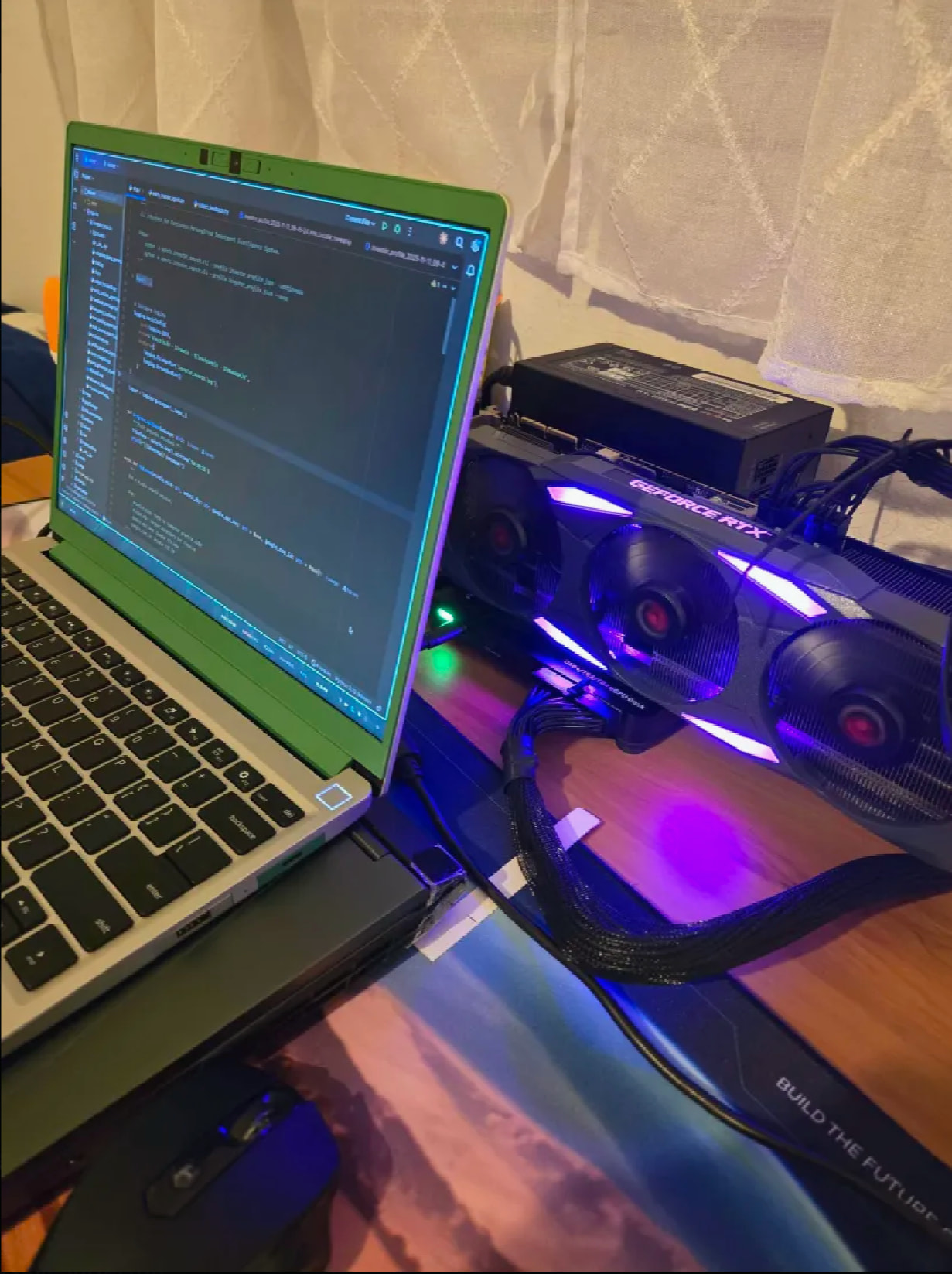
This is my current setup:

GPU: PNY 2021 GeForce RTX 3090 (Renewed)
PSU: be quiet! Pure Power 13 M 1000W
eGPU enclosure: RIITOP 40Gpbs eGPU Enclosure USB4.0
The setup was very straightforward. All cables are included by PSU and eGPU. The PSU is overkill, but it was Black Friday, so it was close to 50% off. 
Note:
The thunderbolt cable must go to the USB-C port on either the top left or top right. See [SOLVED] Framework AI 300 USB-C Bandwidth? - #3 by Jesse_Darnley
On installing drivers and other dependencies:
# Update system
sudo pacman -Syu

# Install NVIDIA open drivers
sudo pacman -S nvidia-open-dkms nvidia-utils lib32-nvidia-utils

# Install Thunderbolt management tool
sudo pacman -S bolt
Then configuring kernel parameters, appending to the end of options: pcie_aspm=off nvidia.NVreg_OpenRmEnableUnsupportedGpus=1:
sudo nano /boot/loader/entries/linux-cachyos.conf
Which looks like:
 sudo cat /boot/loader/entries/linux-cachyos.conf

title Linux Cachyos
options root=UUID=<redacted> rw rootflags=subvol=/@ zswap.enabled=0 nowatchdog splash pcie_aspm=off nvidia.NVreg_OpenRmEnableUnsupportedGpus=1
linux /vmlinuz-linux-cachyos
initrd /initramfs-linux-cachyos.img
After a reboot and connecting my thunderbolt cable, I had to manually rescan my PCIe connections:
echo 1 | sudo tee /sys/bus/pci/rescan
Happy to say that it now works and I have a nice 24GB to play around with in local AI.
The only disappointment I found was that power is not supplied through the TB4 cable.
Hope this helps someone out as I was running on hopes and dreams coming into this build. Happy Thanksgiving! 