I have just received my new Framework 12 and am trying to get it running. On another PC laptop I created a bootable system on a USB drive using Rufus and a fresh Windows 11 ISO. All that went fine but when I try to boot up the F12 from the USB I get the error in the title. I went to the Framework site and downloaded the “Wi-Fi driver for use during Windows installation”, unzipped it, and put the files in a new folder on the USB boot drive. And…nothing. When I click on the drivers from the error message window, they never appear in the driver list in the error window and the install button remains gray. Any ideas? Thanks!
There are some random issues with the Windows installer if the boot USB wasn’t created with the Media Creation Tool, as seen on the official Windows install guide.
Try creating your USB with the Media Creation tool, also available on the Microsoft website, under “Create Windows 11 Installation Media”.
Thanks! The point of using Rufus was to reduce bloatware and create a local install. Are those options even available with the Media Creation Tool?
1 Like
I just followed the guide on https://guides.frame.work/Guide/Windows+11+Installation+on+the+Framework+Laptop+12+(13th+Gen+Intel+Core)/421 when I got my fw12 and it worked fine. Didn’t use rufus, did the step 2 and used microsoft’s tool. After microsoft tool is done with the usb, i then extracted the zip to it like the guide tells you to. I just followed the guide step by step and that worked for me.
You can reduce bloatware afterwards (you can also uninstall most stuff already in Windows anyway), and to create a local account once you get to the “Connect to internet” step of Windows setup after installation, click on the Wi-Fi image or generally elsewhere and press Shift+F10 (or Shift+Fn+F10 if fn lock is on), and type in start ms-cxh:localonly in the command prompt that appears. This will let you set up a local account as normal (it’s what I’m using right now).
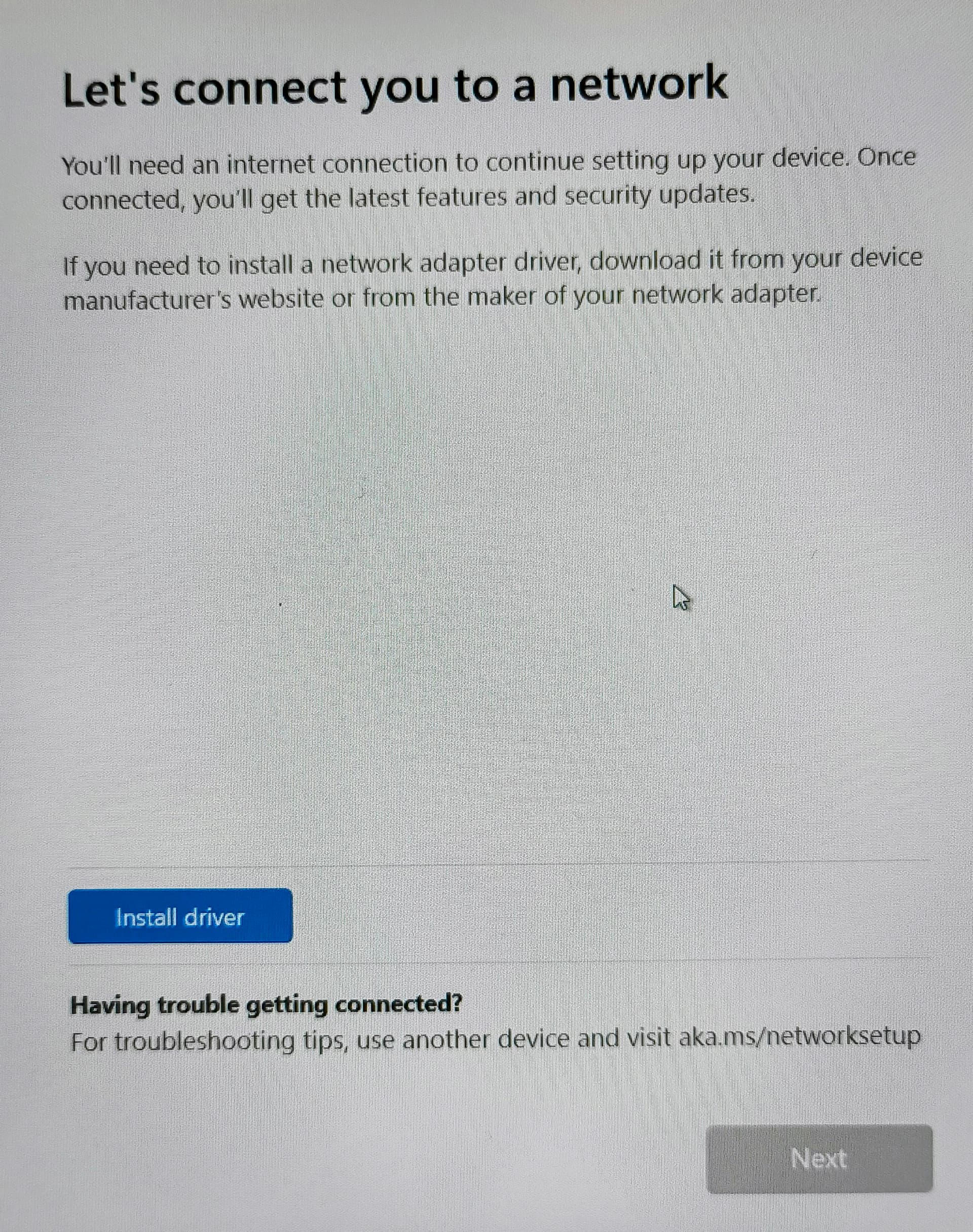
OK, thanks very much. I went and downloaded the Windows tool (which then redownloaded the Windows 11 package) and tried the install on the F12. I got an error message about region settings that I figured I could sort out later but now I am stuck on “Let’s connect you to a network” where it wants me to install drivers that don’t appear to be in the boot drive already. Is this where I should be doing the local only commands?
1 Like
Correct. Click somewhere to the left of what your picture shows, press Shift+F10 or Shift+Fn+F10 and continue with the steps from my previous comment.
Actually, that turned out to be the window for installing the drivers only. Later was another screen where it wanted me to “connect to the internet” and that’s where I was able to follow your advice and set up a local account without connecting to a MS account. Thanks for your help!
1 Like
Make a custom unattend.xml and you can disable the install-time Internet requirement as well as pre-create a local user account for yourself instead of being forced into Microsoft Account: Generate autounattend.xml files for Windows 10/11
I have the similar problem. How to solve for Framework Laptop 12? And the touchscreen is not working properly?