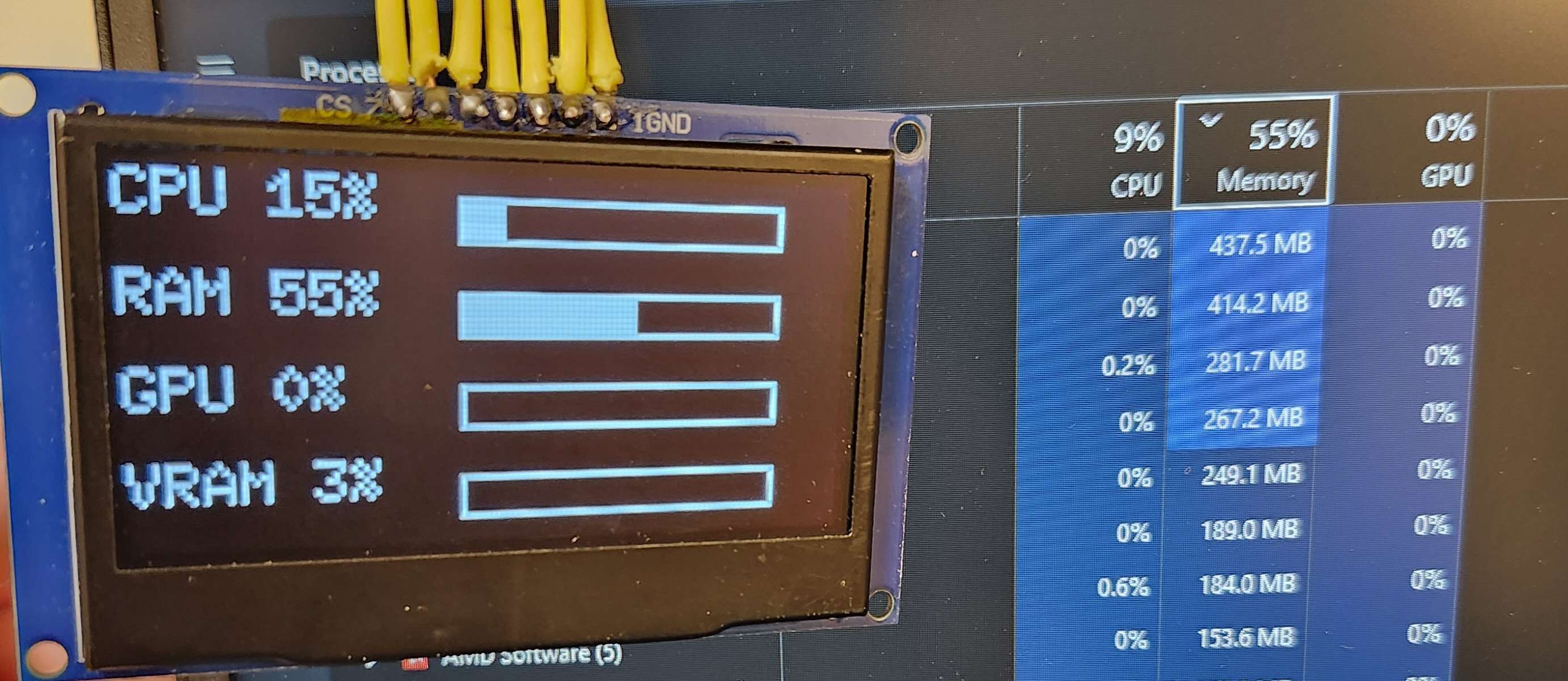
As our semester wraps up, we have an update for our desktop front panel display! For those of you who missed our introduction post, we’re a team of students at Michigan Technological University working in the Open Source Hardware Enterprise (OSHE). We are currently developing both the front display for the desktop and an I2C expansion card.
Our goal for the display this semester was to create a simple proof of concept display for the front of the framework desktop that was easy and cheap to make, while still looking relatively good. There were two main challenges in this project: the first being the limited space of the front panel, and the second being routing the wiring necessary for the display. We ended up using an I2C LCD display from Freenove because of its relatively sleek design and ease of use through the I2C protocol. For the software side of things we developed a python script that is designed to be easily editable so you can choose which computer statistics you want displayed.
If you want to learn more or build this yourself, please find our GitHub here. As always, OSHE is committed to all of our projects being open source for all forever.
Please leave comments or suggestions to improve the build or for future projects. We always love to hear from the community!
The current implementation of the display runs on Windows 11, and Linux Mint. It’s a python script that, once the dependencies are installed, it just works. It currently uses a prototype of our I2C card to drive the display, but the Micro controller based version will be updated in the next few weeks.
What type of case are you planning on running? The tile mount is a different piece from the shell and bezel, so it’s easier to print. Replacing it with something that allows for other use cases shouldn’t be an issue. Our GitHub is linked here for access to our .stl files and python code for Linux Mint and Windows.
Glad to see other student teams like mine (SemiTO-V RISC-V Team) that do open source hardware for Framework. Keep up the good work and let us know in private if you seek help/collaboration!
We’re nearing completion on an updated version of the Display and adding support for a SPI OLED screen to the front panel. It should be done within the next few weeks. It functionally works, we’re just working to integrate it into the existing front panel design style. Inaccuracy in the CPU utilization measurement are due to the polling rate of the screen and WSI being sluggish. Assembly instructions will be updated on our wiki as soon as the assembly is finished.
We’re finalizing the programming and instructions for the OLED display this week, and it will be ready to release in a few days as a package for easy download. We added sleep, some burn in mitigations, and got auto-exec working on Linux AND Windows so you don’t have to run the program manually every time you turn on the PC. We also changed some of the locations for the wires, since we realized that we can’t route the wires the way we were intending, and are now targeting a grid in the bottom-center of the case for the wire routing for both the LCD and OLED display models.
We’ve moved away from the I2C direct option as our main case, and have moved towards a micro-controller based display architecture for use with the SPI OLED display. It allows us to add more customization, and independently check if the PC is asleep by checking when we last received a serial packet from the host. We also added a DVD style screen saver to the sleep screen since we thought it would be a fun addition. The micro-controller requirements for this device are pretty much any that support Adafruit TinyUSB, which we prefer to use pico-based boards for this since they have alot of processing power in a tiny package.
The new display is a 128x64 SPI Black/White OLED display, it’s significantly thinner than the previous LCD, which lets us create this better looking design. We also went back and improved the old display’s mount to account for the hole placement on the desktop itself to better route wires inside the machine.


 subscribed
 I guess the display part is up to us.